


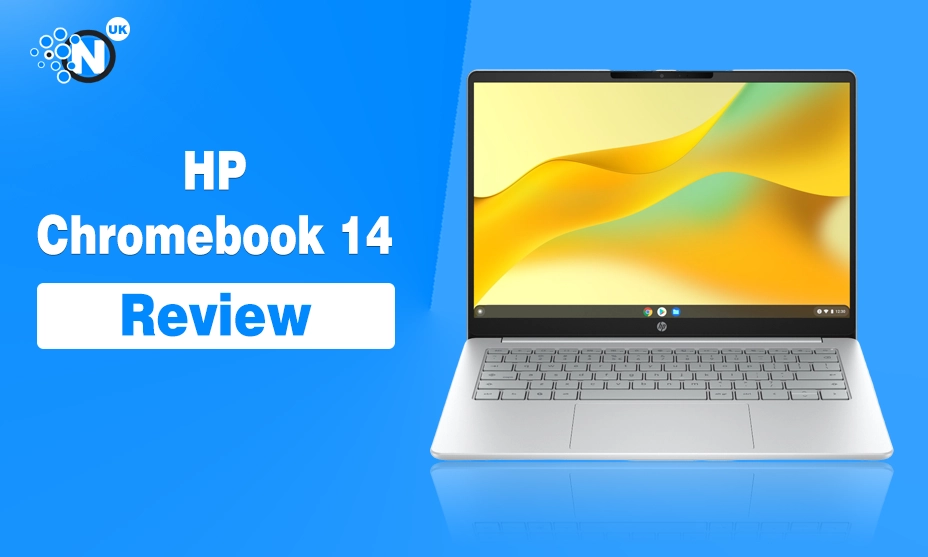
The HP Chromebook 14 makes the most sense as a simple laptop for browsing, schoolwork, email and streaming. It is not trying to compete with a full Windows laptop for demanding software, nor does its hardware justify buying it for gaming or creative work.
For this review, I am focusing on the HP Chromebook 14a-nf0007nax, product number D77G0EA#ABU, which is the Intel N100, 4GB RAM and 128GB UFS version currently listed by HP in the UK. HP has sold several laptops under the Chromebook 14 name, so checking the exact model matters before comparing specifications.
At that price, it offers enough for students and light home users. The Intel N100 processor, Wi-Fi 6E, 128GB storage and long claimed battery life are useful. The 1366 × 768 screen and 4GB soldered memory are much harder to overlook in 2026.
HP Chromebook 14 Specifications
| Specification | HP Chromebook 14a-nf0007nax |
| Processor | Intel Processor N100 |
| CPU cores | 4 cores, 4 threads |
| Maximum clock speed | Up to 3.4GHz |
| Graphics | Intel UHD Graphics |
| Memory | 4GB LPDDR5-4800 |
| Storage | 128GB UFS |
| Display | 14-inch anti-glare |
| Resolution | 1366 × 768 |
| Brightness | 250 nits |
| Colour coverage | 62.5% sRGB |
| Operating system | ChromeOS |
| Battery | 47Wh, 2-cell |
| Claimed battery life | Up to 12 hours |
| Fast charging | Around 50% in 45 minutes |
| Wi-Fi | Wi-Fi 6E |
| Bluetooth | Bluetooth 5.3 |
| Webcam | 720p HD |
| Weight | 1.45kg |
| Thickness | 18.2mm |
| UK price at time of writing | £209 |
Design: Simple, Light and Easy to Carry
The HP Chromebook 14 uses a traditional clamshell laptop design rather than the folding touchscreen format found on HP’s Chromebook x360 range.
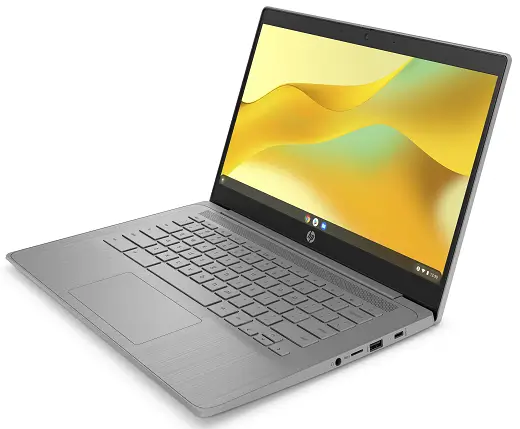
It measures 32.57 × 21.55 × 1.82cm and weighs 1.45kg. That makes it light enough for a backpack without pushing into ultra-light laptop territory.
The Glacier Silver finish gives the laptop a clean appearance. HP uses recycled material in parts of the machine, including recycled metal in the inner frame and post-consumer recycled plastic in the keyboard keycaps.
There is a physical camera shutter above the display. That is a useful privacy feature for a laptop likely to spend plenty of time in classrooms, bedrooms and shared workspaces.
The design does not try to look expensive. That suits the product. A £200 Chromebook needs to be light, practical and easy to carry more than it needs an aluminium body or decorative details.
Display: The Weakest Part of the Package
The 14-inch screen is where HP has made the clearest cost saving.
Resolution is only 1366 × 768, with 250 nits of brightness and 62.5% sRGB colour coverage. The panel has an anti-glare finish. That resolution is usable for Google Docs, web pages, YouTube and basic schoolwork. It feels dated on a 14-inch laptop in 2026.
Text will not look as sharp as it does on a Full HD screen. Workspace is more restricted too, which can become noticeable when two windows sit side by side.
The 250-nit brightness rating suits indoor use better than bright outdoor conditions. Colour coverage is limited, so this is not a display for colour-sensitive photo or design work.
A student writing assignments at a desk may find it perfectly acceptable. Someone who spends hours reading small text, editing images or working across several windows should look for a Full HD model.
HP sells more expensive Chromebook 14 configurations with Full HD screens, 8GB RAM and stronger processors. The display is one of the main reasons to move up if the budget allows.
Intel N100 Performance: Good for ChromeOS Basics
The Intel Processor N100 is a four-core, four-thread chip with a maximum turbo frequency of 3.4GHz and 6MB cache. Intel rates the processor at 6W.
That is modest hardware, but ChromeOS does not need the same resources as a conventional Windows installation for basic web-based tasks.
The N100 is a sensible match for:
- Google Docs and Google Sheets
- Web browsing
- YouTube and streaming
- Google Meet
- Online learning platforms
- Light Android apps
- Basic file management
The processor is not the part I would worry about first. The 4GB of RAM is more restrictive.
A few browser tabs, a document and music playback should fit the machine’s intended role. Large collections of tabs, several Android apps or heavier browser tools can place more pressure on 4GB.
The memory is onboard rather than a replaceable module, so you cannot upgrade it later. That makes the buying decision fairly clear. Four gigabytes can still work for a low-cost Chromebook. Eight gigabytes gives more room for several years of use.
Keyboard, Trackpad and Ports
HP specifies the Chromebook 14 as having a full-size keyboard with 1.5mm key travel. That specification is promising for regular typing, but I would not claim keyboard feel without physical testing.
The laptop uses HP’s Imagepad trackpad and has no numeric keypad, which is normal for a 14-inch machine.
Port selection is basic.
You get one USB-C port and one USB-A port. The USB-C connection handles charging and DisplayPort output. A 3.5mm combination audio socket is included.
One USB-C port can feel restrictive once the laptop is connected to power or an external screen.
Students using a mouse, external display, storage drive or SD card reader may need a hub. A well-chosen set of laptop accessories for study and everyday work can make a basic Chromebook much easier to use at a desk.
Battery Life: One of Its Stronger Features on Paper
HP rates the 47Wh battery for up to 12 hours of use. It supports fast charging to around 50% in 45 minutes with the system switched off and suitable charging hardware.
That 12-hour figure comes from HP, not independent testing for this article. Real battery life changes with screen brightness, video playback, Wi-Fi use, Android apps and browser workload.
The low-power N100 processor, modest display resolution and ChromeOS make long battery life realistic as a design goal. For a student, that matters. Carrying a laptop between lessons becomes easier if the charger can stay at home for much of the day.
Webcam and Audio
The Chromebook 14 has a 720p HP True Vision webcam, temporal noise reduction and dual-array digital microphones. A physical shutter covers the camera when it is not needed.
A 720p webcam is basic in 2026.
It should cover Google Meet classes, family calls and routine online meetings. Buyers who spend much of their working day on video calls may prefer a laptop with a sharper 1080p webcam.
Audio comes from dual speakers. No premium audio hardware is listed. That fits the rest of the laptop. It is built for everyday online use, not media production.
128GB Storage Is Better Than the Old Chromebook Standard?
The 128GB UFS storage is a positive part of the specification.
Cheap Chromebooks were once associated with tiny 32GB or 64GB storage drives. A 128GB capacity leaves more space for downloads, offline documents, Android apps and local files.
UFS storage is not the same as a fast NVMe SSD found in more expensive laptops, but ChromeOS relies heavily on cloud services. For the intended workload, capacity matters more than chasing desktop-class storage speeds.
Google Play support broadens what a modern Chromebook can do. Google states that Chromebooks launched from 2019 onwards support Android apps except where stated otherwise.
Do not mistake Android app support for full Windows software compatibility. Traditional Windows .exe applications do not run natively on ChromeOS.
Anyone who needs specialist accounting software, full desktop Adobe applications, engineering tools or Windows-only business programs should check software support before buying a Chromebook.
ChromeOS Makes Sense for the Right User?
The operating system is one of the main reasons to buy this laptop and one of the main reasons to skip it.
ChromeOS is built around the browser, Google services, web applications and cloud storage. It supports Android apps on compatible devices through Google Play.
For Google Docs, Classroom, Drive, Gmail, YouTube and browser-based software, it is easy to understand.
ChromeOS devices receive automatic security and feature updates. Google states that current Chromebook platforms receive up to 10 years of automatic updates from their platform release date. Buyers can check the precise update schedule from Settings > About ChromeOS > Additional details on the device.
The weakness is software compatibility.
A Chromebook is not the right choice simply because someone wants a cheap laptop. It needs to match the software they use.
A university student working in Google Docs may be well served. A student whose course needs Windows-only engineering or specialist design software may run into problems quickly.
HP Chromebook 14 vs the More Expensive HP Chromebook Models
HP’s current UK range shows how sharply the Chromebook 14 changes once the specification improves.
- The N100 model reviewed here has 4GB RAM, 128GB storage and a 1366 × 768 screen at £209 at the time of writing.
HP has listed a higher Chromebook configuration with an Intel Core i3-N305, 8GB RAM, 256GB storage and a Full HD display at around £359.
That is a large price jump, but the improvements address the weakest parts of the cheaper machine.
Double the memory gives ChromeOS more room for multitasking. Double the storage gives more local space. Full HD makes much better use of a 14-inch panel.
The cheaper N100 model remains attractive when price comes first.
Once the cost moves much beyond £200, I would start looking closely at 8GB Chromebooks and discounted Windows laptops.
Who Should Buy the HP Chromebook 14?
- The HP Chromebook 14 is a good match for a narrow but common type of buyer.
- It suits school students, light home users and people whose work happens mainly inside a web browser.
- It makes sense for Google Docs, Gmail, online classes, web research, streaming and basic admin.
- The low price matters too. At £209, buyers are not paying for hardware they may never use.
A student building a fixed study setup can add a mouse, keyboard or monitor later. These wireless keyboard and mouse options for work and home are more relevant than spending extra on internal performance that basic schoolwork does not need.
Who Should Skip It?
Skip the 4GB HP Chromebook 14 if you regularly use demanding desktop software, keep many applications open, edit large media files or need Windows-specific programs.
The 1366 × 768 display is another reason to spend more for people who work on a laptop for long periods each day. Gaming is not a strong reason to buy it either. Browser games and light Android titles are one thing. PC gaming is a different category.
Professionals who keep many tabs, communication apps and cloud tools open at once should look for 8GB RAM.
HP Chromebook 14 Pros and Cons
Pros
- Low UK price
- Intel N100 is suitable for basic ChromeOS work
- 128GB storage is useful for a budget Chromebook
- Up to 12 hours claimed battery life
- Wi-Fi 6E and Bluetooth 5.3
- USB-C supports charging and external displays
- Physical webcam shutter
- Light enough for school or commuting
- ChromeOS has long-term automatic update support
Cons
- Only 4GB RAM
- Memory cannot be upgraded
- 1366 × 768 display looks dated
- 250-nit brightness is modest
- Only one USB-C port
- 720p webcam
- No touchscreen
- Not suitable for Windows-only software
- Official HP UK stock can be limited
Verdict: Is the HP Chromebook 14 Worth Buying in 2026?
The HP Chromebook 14 is worth considering at around £200 if your needs are simple and you already know ChromeOS suits you. The Intel N100 is capable enough for schoolwork, browsing, video calls and streaming. The 128GB storage is generous for this class of Chromebook. Battery specifications are promising, and the 1.45kg weight makes it practical to carry.
The display holds it back.
A 1366 × 768 resolution and 250-nit brightness feel basic for a 14-inch laptop in 2026. The 4GB of soldered RAM places another limit on how far the machine can stretch.
Those compromises are acceptable at £209 for a student using Google Classroom and Docs. They become less appealing for heavy multitasking or several years of professional use. The HP Chromebook 14 works best when bought for what it is: a low-cost browser-based laptop with long battery ambitions, useful storage and simple ChromeOS operation.
Do not buy it expecting a cheap Windows laptop replacement. Buy it if most of your daily work already lives in Chrome.
Frequently Asked Questions
Is the HP Chromebook 14 good for students?
Yes. The Intel N100 version is suited to Google Classroom, Docs, web research, email, video lessons and streaming. Students who need Windows-only course software should check compatibility before buying.
Does the HP Chromebook 14 have a touchscreen?
The HP Chromebook 14a-nf0007nax reviewed here does not have a touchscreen. HP sells separate Chromebook x360 models with touch displays.
How much RAM does the HP Chromebook 14 have?
This UK configuration has 4GB LPDDR5 memory. The RAM is onboard and is not intended for user upgrades.
Does the HP Chromebook 14 run Android apps?
Modern Chromebooks support Android apps through Google Play where supported. Google states that ChromeOS devices launched from 2019 onward support Android apps except where stated otherwise.
How long does the HP Chromebook 14 battery last?
HP claims up to 12 hours for this model. Actual runtime changes with screen brightness, applications, connectivity and workload.
Can the HP Chromebook 14 run Microsoft Office?
Web versions of Microsoft 365 applications can be used through the browser. A Chromebook does not run traditional Windows desktop .exe applications natively.
Is 4GB RAM enough for a Chromebook in 2026?
Four gigabytes can handle basic browsing, documents, streaming and light schoolwork. Buyers who keep many tabs and apps open should favour an 8GB model.
What is the HP Chromebook 14 price in the UK?
HP UK lists the Intel N100, 4GB RAM and 128GB storage model at £209 including VAT at the time of writing, reduced from £250. The official product page currently shows limited availability.
