


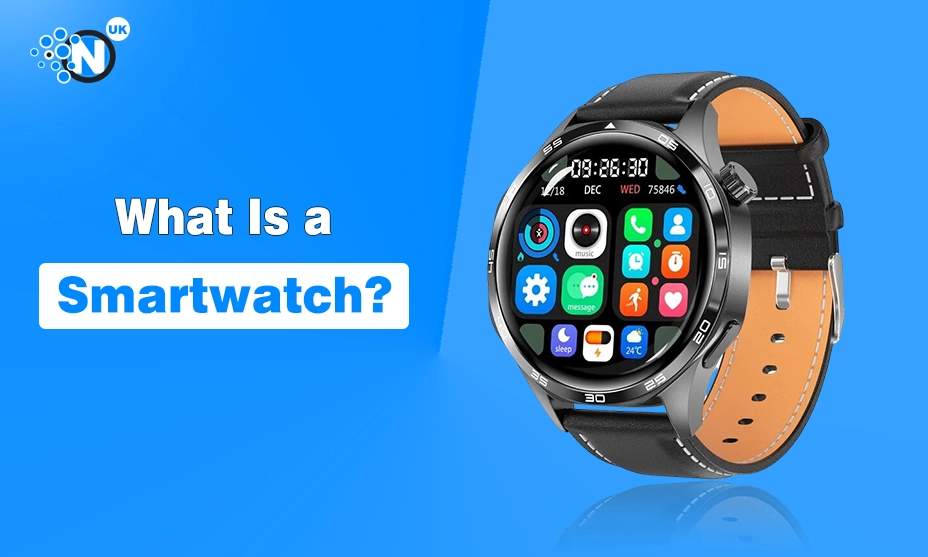
A smartwatch is a digital watch that combines timekeeping with connected features such as phone notifications, fitness tracking, health monitoring, apps, navigation, music controls and contactless payments. Some models can make calls or use mobile data without a phone nearby.
Its main value is convenience. A smartwatch puts short, useful information on your wrist, so routine tasks do not always require opening a phone.
Smartwatches now sit between traditional watches, fitness trackers and compact mobile devices. The right model can be useful for work, exercise, commuting and travel. The wrong one can become another screen that needs charging and sends too many alerts.
What Makes a Watch “Smart”?
A traditional watch offers a stopwatch, alarm or calendar. A smartwatch adds software, sensors and wireless connections.
Most models include a screen, processor, storage, rechargeable battery and Bluetooth. Many add Wi-Fi, GPS, NFC for payments and health sensors. Cellular versions may use an eSIM.
The operating system manages apps, notifications, watch faces and fitness records. Apple Watch uses watchOS. Many Android-focused watches use Wear OS, and other brands run their own platforms.
The result is a wrist device that can receive information, collect data and respond to user input rather than simply display the time.
How Does a Smartwatch Work?
A smartwatch collects information from its paired phone and from sensors built into the watch.
Bluetooth handles much of the communication with a nearby phone. Calls, texts, calendar alerts and app notifications can then appear on the wrist. Wi-Fi gives some watches an online connection beyond Bluetooth range. A cellular model can connect to a supported mobile network without relying on a phone for every online task.
Sensors collect data from the wearer. An accelerometer detects movement. GPS records location and distance. Optical sensors can measure heart rate. Some models add blood oxygen sensing, skin temperature, a compass, altimeter or ECG functions.
The software turns those readings into useful information. A run becomes a route, distance and pace. Overnight sensor readings can form a sleep record. Heart-rate measurements can appear as trends inside a companion app.
Available functions differ by model, country and software version. Apple and Google publish device-specific guidance for health, notifications, apps and connectivity.
What Can a Smartwatch Do?
Show Calls, Messages and Notifications
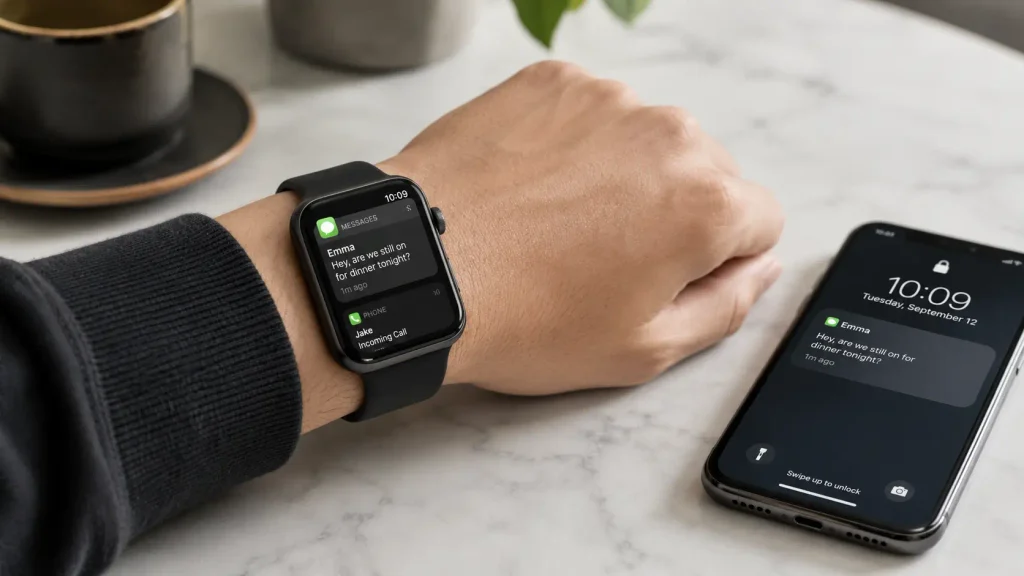
Notifications are one of the most practical smartwatch features. A glance at the wrist can show whether an incoming message, email or call needs attention.
Many watches let users dismiss alerts, answer calls, read messages or send short replies. Voice dictation, preset replies and small on-screen keyboards are common options.
Notification settings matter. Sending every social media, shopping and news alert to the wrist can make the watch distracting. Most people will get more value by keeping only the alerts that need quick attention.
Monitor Health and Sleep Data
Health tracking now plays a major role in the smartwatch market. Common functions include heart-rate monitoring, sleep tracking and activity reminders. Selected models support ECG readings, irregular rhythm notifications, temperature sensing or blood oxygen measurements.
These tools can help users follow patterns in their own data. They are not a replacement for medical assessment. Support varies by device and region, and some functions need regulatory approval.
Apple lists sleep, heart, cycle and overnight health tools across supported Apple Watch models, with model and regional limits for certain functions.
Anyone buying a smartwatch mainly for a health feature should check the exact model and UK availability of that feature before purchase.
Track Exercise and Daily Activity
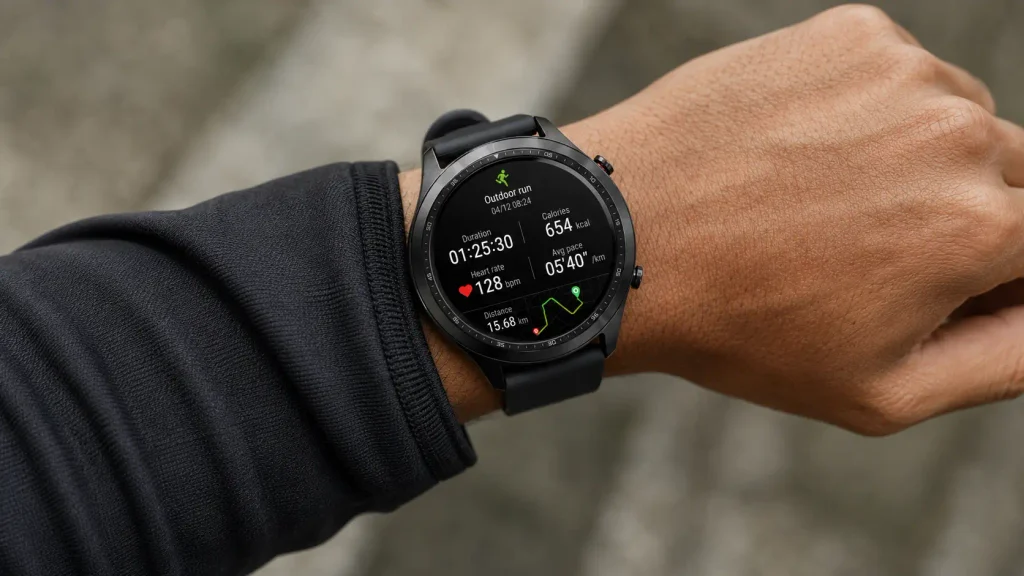
Most smartwatches record steps, activity and workouts. GPS-equipped models can track routes, pace, distance and speed during running, walking or cycling.
Sports-focused watches may add heart-rate zones, recovery data, elevation and training metrics. Casual users may only need step counts, workout recording and a simple activity history.
Google lists steps, heart rate and workout tracking among the fitness functions available on supported Wear OS watches.
The amount of fitness data should match the user’s needs. A person walking for general health does not need the same training information as a marathon runner.
Use Maps and Directions
A smartwatch can place turn-by-turn directions on the wrist. This is useful for walking, cycling and finding places in an unfamiliar area.
GPS has a second role in fitness. It records outdoor routes and improves distance data for activities such as running or hiking.
Some watches rely on a phone for parts of their navigation system. Others contain built-in GPS and can record an outdoor route without the phone being present.
Make Contactless Payments
Many smartwatches include NFC, the short-range wireless technology used for contactless payments.
A supported bank card can be added to a compatible wallet service such as Apple Pay or Google Wallet. The watch can then be held near a contactless payment terminal.
UK buyers should check support from the watch, payment service and their bank before treating this as a deciding feature.
Contactless payments can be particularly useful during a run, a short journey or any situation where carrying a wallet feels unnecessary.
Control Music and Use Apps
A smartwatch can pause music, change tracks and control audio playing on a phone. Some models store music or support streaming apps. This can be useful for exercise with Bluetooth earphones.
Full smartwatches can run apps for weather, maps, calendars, fitness, music and other services. Wear OS devices can download compatible apps from Google Play.
The number of available apps matters less than support for the services a buyer already uses.
A watch with hundreds of features offers little extra value if the owner only checks notifications and records a daily walk.
Smartwatch vs Fitness Tracker: What Is the Difference?
The main difference is scope. A smartwatch combines apps, communication and connected features with activity tracking. A fitness tracker puts more focus on health data, exercise and battery life.
| Feature | Smartwatch | Fitness Tracker |
| Notifications | Detailed on many models | Often more limited |
| Calls and replies | Common on many models | Less common |
| Apps | Common on full smartwatches | More limited |
| GPS | Common | Varies by model |
| Health tracking | Common | Core focus |
| Contactless payments | Available on selected models | Less common |
| Battery life | Often shorter | Often longer |
| Best suited to | Connected features plus fitness | Activity tracking with fewer distractions |
The categories overlap more than they once did. Some fitness bands now offer GPS, payments and detailed alerts. Some smartwatches are built mainly for sport and training.
People who want detailed health tracking without another screen may prefer a screen-free fitness tracker such as the Garmin Cirqa, which focuses on activity, sleep and recovery data rather than apps and wrist notifications.
A full smartwatch takes a broader approach. The Samsung Galaxy Watch 5 combines health tracking with apps, notifications and phone-connected features, which shows how different the experience can be from a basic fitness band.
Do You Need a Phone to Use a Smartwatch?
Most smartwatches need a compatible phone for setup, account management and detailed settings.
After setup, independence varies.
A Bluetooth-only watch relies more heavily on the paired phone. Wi-Fi can keep selected online features available. A cellular model can use its own mobile connection for supported calls, messages and apps.
A smartwatch still does not replace a phone for most users. Short interactions suit a wrist display. Long messages, web browsing and complex tasks remain easier on a larger screen.
Compatibility deserves attention before purchase. Apple Watch is built around iPhone. Wear OS is centred on Android, with requirements that can vary between manufacturers.
Check compatibility with the exact phone model before buying, particularly if the watch comes from a different brand.
How Long Does a Smartwatch Battery Last?
Battery life can range from around a day on feature-heavy models to several days or longer on watches built for lower power use.
There is no useful single battery figure for every smartwatch.
Screen type, always-on display settings, GPS, mobile data, workout tracking and background apps all affect runtime.
Battery saver modes can extend use by switching off selected connections and background functions. Google states that Wear OS battery saver may disable notifications, location services, Wi-Fi, Bluetooth, mobile networks and the always-on display.
Treat advertised battery life as a starting point. Check the manufacturer’s test conditions and compare them with the features you plan to use.
People who want overnight sleep tracking should think about charging time too. A watch that needs nightly charging may be less practical if sleep records are one of the main reasons for buying it.
What Are the Benefits of a Smartwatch?
- A good smartwatch can make routine tasks quicker.
- Common benefits include quick access to calls and reminders, workout tracking, supported health records, wrist-based directions, contactless payments, music controls and calendar information.
- The value grows when several functions fit the same routine.
- A commuter may care about alerts, payments and directions. A runner may care more about GPS, heart rate and music. A professional may value calendar reminders and quick checks of important messages.
- The strongest benefit is often not a single headline feature. It is the time saved across many small interactions during the day.
What Are the Drawbacks of a Smartwatch?
- A smartwatch adds another battery, another account and another set of notifications to manage.
- Frequent charging can be annoying. Small screens limit serious productivity. Premium models can be expensive. Health and location tracking raise privacy questions, so app permissions and account settings deserve attention.
- Phone compatibility can restrict choice. A watch may lose key functions outside its preferred ecosystem.
- Some people find wrist notifications useful. Others find them harder to ignore than phone alerts.
- A simpler fitness tracker can make more sense for someone who wants activity data without apps, calls or constant notifications.
What Should You Look for Before Buying a Smartwatch?
Start with the phone you already own. Compatibility can narrow the choices very quickly. Next, decide what the watch needs to do. A long feature list has little value if most tools remain unused.
Check these points before buying:
- Phone compatibility: Confirm support for your iPhone or Android model.
- Battery life: Compare realistic use, not only the headline figure.
- Size and comfort: A watch worn all day should fit properly.
- Display: Check brightness, readability and always-on options.
- Fitness tools: Look for the sports and metrics you plan to use.
- Health features: Confirm UK support for any function that matters to you.
- GPS: Built-in GPS is useful for outdoor training and navigation.
- Payments: Check the watch, wallet service and bank.
- Water resistance: Match the rating to your planned use.
- Apps: Check support for services you already use.
- Cellular support: Confirm UK network compatibility and any monthly cost.
- Software support: A longer update period can extend the useful life of the watch.
Once you know which features matter most, a smartwatch buying guide for UK buyers can help narrow the choice by battery life, compatibility, health tools, GPS and other practical factors.
Who Should Buy a Smartwatch?
A smartwatch suits people who want quick access to information without reaching for a phone each time.
It can be a good fit for users who track exercise, rely on calendar alerts, use navigation on foot, make contactless payments or want connected features during workouts.
It may be a poor fit for people who prefer traditional watches, dislike wrist notifications or want battery life measured in weeks.
A fitness band or screen-free tracker may cover basic activity needs with fewer connected features.
Is a Smartwatch Worth Buying?
A smartwatch is worth buying when its regular functions match your routine. For many users, the value comes from a small group of features used every day. Notifications, exercise tracking, payments and navigation are common examples.
Buying a smartwatch purely for novelty is harder to justify. A premium model can offer dozens of tools that never become part of the owner’s routine. Choose a watch for repeated uses rather than the longest specification list.
Frequently Asked Questions
Can a Smartwatch Work Without Internet Access?
Yes. Timekeeping, alarms, many workout functions, step counting and some stored music can work offline.
Can a Smartwatch Make Calls?
Many smartwatches can handle calls through a paired phone. Cellular models may make and receive calls through their own supported mobile connection.
Are Smartwatches Waterproof?
Many models are water-resistant rather than fully waterproof.
Check the manufacturer’s water-resistance rating before swimming, diving or using the watch in water. A rating suitable for rain or hand washing does not automatically mean the watch is designed for diving.
What a Smartwatch Should Do for You?
A smartwatch works best as a companion device. It brings useful parts of a phone, fitness tracker and digital wallet to the wrist without replacing each one.
The buying decision becomes easier once the purpose is clear.
Choose a full smartwatch for apps, richer notifications, calls and connected features. Choose a fitness-focused watch for training data and longer battery life. Choose a simpler tracker if the goal is activity monitoring with fewer distractions.
A good smartwatch should earn its place on the wrist through repeated use. If its main features solve small problems each day, it can be useful technology rather than another screen to charge.
