


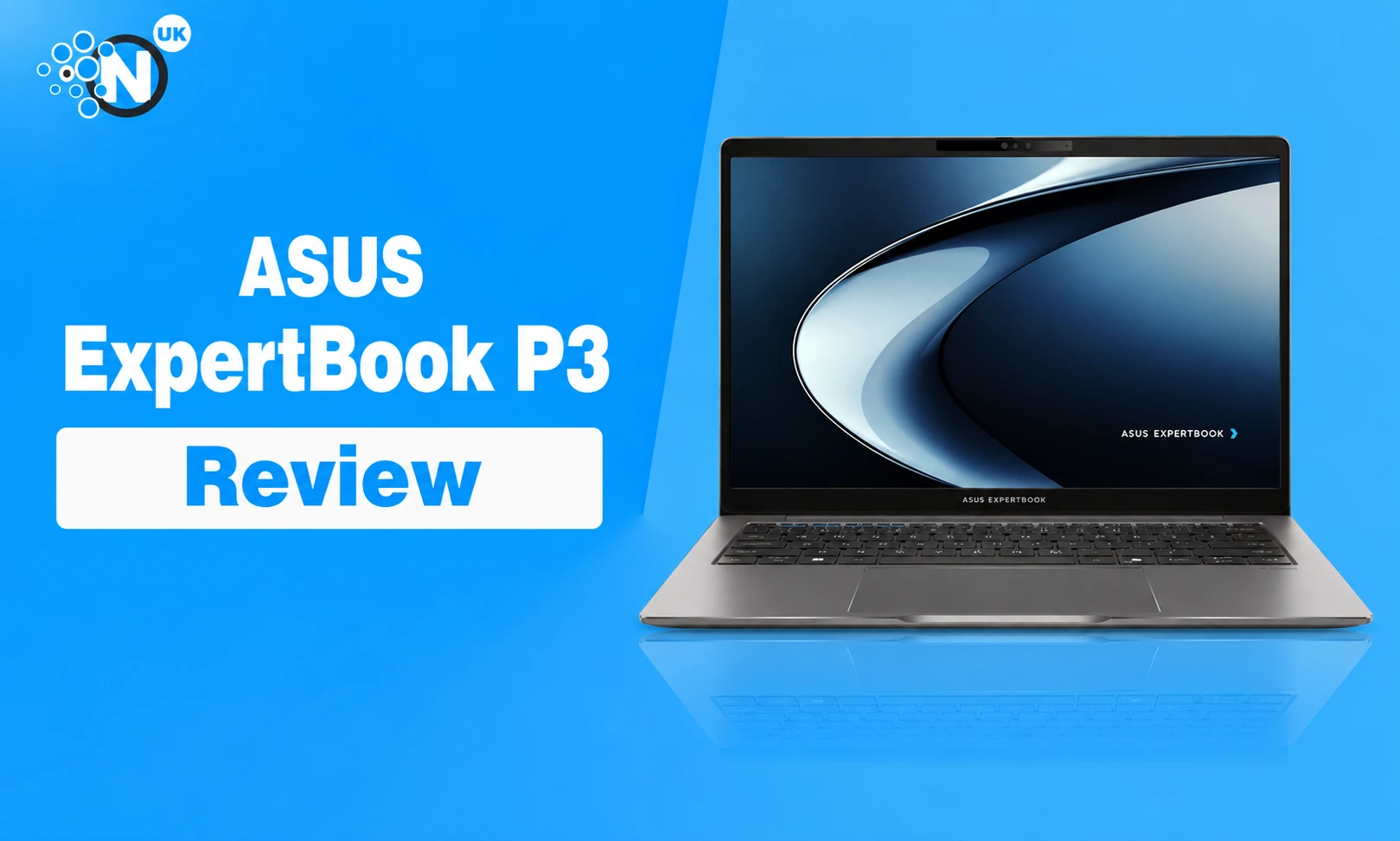
The ASUS ExpertBook P3 is a business laptop built for people who care more about work, security and upgrade options than flashy design.
That focus works in its favour.
The current 14-inch ExpertBook P3 PM3406 starts at £749.99 in the UK and runs Windows 11 Pro. ASUS offers AMD Ryzen AI processors, up to 64GB of DDR5 memory, dual-SSD support, Wi-Fi 7 and a 70Wh battery. The range sits below premium corporate laptops but brings many of the same business features at a lower starting price.
The main weakness is the screen on the standard UK configuration. ASUS lists a 14-inch 1920 × 1200 panel with 300 nits of brightness and 45% NTSC colour coverage. That is fine for spreadsheets and office work, but weak beside brighter premium laptops.
For office users, small firms and professionals who want strong CPU performance, good ports and practical security, the ExpertBook P3 makes a strong case.
ASUS ExpertBook P3 Key Specifications
| Specification | ASUS ExpertBook P3 PM3406 |
| Display | 14-inch IPS, 16:10 |
| Resolution | 1920 × 1200 on listed UK configuration |
| Brightness | 300 nits |
| Processor | Up to AMD Ryzen AI 7 350 |
| Graphics | Up to AMD Radeon 860M |
| NPU | Up to 50 TOPS |
| Memory | DDR5, up to 64GB |
| Storage | PCIe 4.0 SSD, dual-drive support |
| Battery | 70Wh |
| Wireless | Wi-Fi 7, Bluetooth 5.4 |
| Webcam | 1080p with IR |
| Ethernet | Gigabit RJ45 |
| Operating system | Windows 11 Pro |
| UK starting price | £749.99 |
Design: Built for Work Rather Than Show
The ExpertBook P3 looks like a proper business laptop.
The Misty Grey finish is restrained, the keyboard deck is simple and the 14-inch size works well for commuting or hybrid work. Independent testing found the aluminium chassis sturdy, with a firm hinge and good overall build quality. Notebookcheck measured its review unit at about 1.44kg, though weight can change slightly between configurations.
ASUS states that the laptop meets MIL-STD-810H testing standards. That does not mean it is damage-proof, but it gives business buyers more confidence than a consumer laptop built mainly around thinness.
The design is practical rather than luxurious.
That is the right choice for this type of machine. A laptop used every day for work needs to survive bags, desks, meetings and travel. It does not need decorative lighting or an ultra-thin chassis that removes useful ports.
Display: Good Enough for Office Work
The standard display is the biggest compromise.
The has a 14-inch WUXGA panel with a 1920 × 1200 resolution, 16:10 aspect ratio, anti-glare coating and 300-nit brightness. Colour coverage is listed at 45% NTSC. The 16:10 shape works well for documents, spreadsheets and web pages. You see more vertical content than on an older 16:9 panel.
The anti-glare finish suits offices with overhead lighting. Colour and brightness are less impressive.
There are almost 300-nit screen for a modern business laptop and called the display one of the machine’s weaker areas. That will not matter much for Word, Excel, CRM systems or browser work. Photographers, designers and anyone who spends hours editing colour-sensitive material should look for a better panel.
Performance: Ryzen AI Is the Main Strength
Performance is where the ExpertBook P3 earns its price.
The stronger configuration uses AMD’s Ryzen AI 7 350, an eight-core, 16-thread processor paired with Radeon 860M graphics and an NPU rated at up to 50 TOPS. That makes the laptop well suited to heavy office multitasking, large spreadsheets, browser workloads, coding, video calls and light creative work.
PCWorld tested a Ryzen AI 7 350 model with 32GB of RAM and recorded a PCMark 10 score of 7,636. The same machine scored 6,213 in Cinebench R20 multi-core testing. Those results placed it ahead of several Intel Lunar Lake machines in CPU-heavy workloads.
The Radeon 860M graphics are capable enough for business use, media work and light gaming. This is not a gaming laptop. A dedicated GPU remains the better route for 3D work, demanding video editing or modern games at high settings.
The good part is that the CPU has far more headroom than most basic office laptops. That matters for users who keep Teams, Chrome, Excel, Outlook and several business tools open throughout the day.
Memory and Storage: Good Upgrade Potential
One of the ExpertBook P3’s better business features is upgradeability. ASUS provides two DDR5 SO-DIMM slots and support for up to 64GB of memory. The system has PCIe 4.0 storage and supports dual SSDs. That gives the machine more life than many thin laptops with soldered memory.
A small business can buy a sensible configuration today and add more memory or storage later.
For most office users, 16GB RAM and a 512GB SSD should be a sensible starting point. People working with virtual machines, larger datasets or several demanding apps may benefit from 32GB.
Keyboard and Trackpad: Made for Long Work Sessions
The keyboard has 1.5mm key travel, a backlight and spill-resistant construction.
The keyboard is responsive and comfortable during testing. The large trackpad received positive comments too. That matters more on a business laptop than it does on many consumer machines. A person writing reports or working through spreadsheets for six hours will notice a poor keyboard much faster than they notice a fancy chassis finish.
The 14-inch model does not have a separate number pad. That is normal at this size. People who spend most of the day entering figures may prefer the larger 16-inch ExpertBook P3 version or an external keyboard.
For a fixed desk setup, a wireless keyboard and mouse can make long work sessions more comfortable, especially when the laptop is connected to a larger monitor.
Ports: One of the Best Parts of the Laptop
Business laptops need ports, and ASUS has not cut too many.
The ExpertBook P3 includes:
- Two USB-C 3.2 Gen 2 ports
- Two USB-A ports
- HDMI 2.1
- Gigabit Ethernet
- 3.5mm audio
- Kensington Nano lock slot
Both USB-C ports support display output and USB Power Delivery.
The Ethernet port is particularly useful for offices, IT teams and anyone who wants a wired network connection without carrying an adapter.
Wi-Fi 7 and Bluetooth 5.4 cover modern wireless connections.
There is no SD card reader, and there is no Thunderbolt 4 or USB4 on the AMD model. Those omissions matter more to media professionals than ordinary office users. For most businesses, the port selection is very practical.
Battery Life: Enough for a Working Day
The ExpertBook P3 has a 70Wh battery.
That result is respectable. It does not match the longest-lasting Intel Lunar Lake or Qualcomm Snapdragon laptops, but the ExpertBook P3 trades some battery life for stronger multi-core CPU performance.
That trade suits users who need computing power during the day. Someone who mainly works in email and web apps may get better battery life from a lighter ARM or low-power Intel laptop.
Someone running large spreadsheets, development tools or local business software may value the extra CPU power more.
Webcam and Meetings: Mixed Results
ASUS includes a 1080p webcam with infrared support for Windows Hello.
There is a physical privacy shutter too.
On paper, that is a good business setup. Independent testing found the camera less impressive than the specification suggests.
ASUS includes AI ExpertMeet software for meetings. It can provide meeting transcription, translation and related tools on supported configurations. The feature can appeal to teams that spend much of the week in calls.
I would not buy the laptop for that software alone. The hardware matters more.
Security: A Strong Business Feature Set
Security is one of the areas where the ExpertBook range differs from many ordinary consumer laptops.
The P3 includes TPM 2.0, a fingerprint sensor, IR facial recognition and ASUS ExpertGuardian security features. ASUS states that the BIOS follows NIST SP 800-155 resilience requirements.
Those features are useful for companies managing staff devices.
Biometric login makes Windows Hello easier to use. TPM supports Windows security features such as BitLocker. The Kensington lock slot gives shared offices another layer of physical protection.
The laptop ships with Windows 11 Pro rather than Home, which fits business deployment better.
For small firms reviewing more than laptops, a broader business technology plan should start with the work that needs fixing, then match hardware, software and security controls to those needs.
Is the AI Hardware Useful?
The ExpertBook P3 is a Copilot+ PC.
The Ryzen AI platform includes an NPU with enough performance for Microsoft’s Copilot+ requirements. It can run supported AI tasks locally rather than sending every operation to cloud servers.
That can help with selected Windows AI features, meeting tools and software built to use the NPU. The value today depends on the applications you use.
Most business buyers should treat the NPU as extra headroom rather than the main reason to buy the laptop. The Ryzen processor, memory capacity, security and ports have a clearer impact on daily work. If future versions of business software make greater use of local AI processing, the NPU could become more useful during the laptop’s lifespan.
ASUS ExpertBook P3 vs ExpertBook P1
The ExpertBook P1 sits lower in the range.
ASUS UK lists current P1 models from around £599.99, with Intel versions available up to Core i7 and AMD variants with Ryzen processors.
The P3 gives you newer Ryzen AI hardware, Copilot+ support, a larger 70Wh battery, Wi-Fi 7 and a stronger set of business features.
The P1 can still make sense for routine office work where price matters more than AI hardware or higher CPU performance. The P3 is easier to justify for people who run heavier workloads or want a machine with more headroom.
Who Should Buy the ASUS ExpertBook P3?
The ExpertBook P3 suits:
- Small-business owners
- Office professionals
- Consultants
- Developers
- IT teams
- Hybrid workers
- People using large spreadsheets
- Users who want upgradeable RAM and storage
- Companies that value Windows 11 Pro and business security
The machine makes the most sense when productivity and reliability come before display quality.
Who Should Skip It?
Look elsewhere if you need:
- A bright premium display
- Wide colour coverage
- A high-refresh OLED panel
- Strong dedicated graphics
- Thunderbolt 4
- USB4
- An SD card reader
- The longest possible battery life
- A high-quality built-in webcam
Creative professionals may find the standard display too limited. Frequent travellers who only use light web apps may prefer a thinner laptop with longer battery life.
ASUS ExpertBook P3 Pros and Cons
Pros
- Strong Ryzen AI processor options
- Up to 64GB DDR5 memory
- Dual-SSD support
- Good keyboard
- Wide port selection
- Gigabit Ethernet
- Wi-Fi 7
- 70Wh battery
- Windows 11 Pro
- Fingerprint and IR login
- Business security features
- Solid chassis
- Good upgrade potential
Cons
- 300-nit display is not very bright
- Weak colour coverage on the standard panel
- Webcam quality is only average in independent tests
- No Thunderbolt 4
- No USB4
- No SD card reader
- Integrated graphics limit demanding creative work
- Battery life trails some premium ultraportables
Is the ASUS ExpertBook P3 Worth Buying in 2026?
Yes, for the right type of work.
The ExpertBook P3 is strongest as a practical business machine. It gives you powerful AMD processors, upgradeable DDR5 memory, dual-drive support, Windows 11 Pro and a port selection that still respects how people work in offices.
Its weak point is easy to identify.
The standard 300-nit display feels plain beside the brighter OLED and high-resolution panels found on many premium laptops. The webcam is another area where independent reviews found room for improvement.
Those flaws do not undermine the core business package.
At a UK starting price of £749.99, the ExpertBook P3 sits in a competitive part of the market. The value becomes stronger for buyers who care about CPU performance, upgrade options and security more than screen quality.
The Ryzen AI 7 350 configuration is particularly attractive for demanding office workloads.
A lighter user may save money with the ExpertBook P1.
For a professional who wants a capable Windows business laptop without paying premium ThinkPad or EliteBook prices, the ExpertBook P3 deserves a place on the shortlist.
Frequently Asked Questions
Is the ASUS ExpertBook P3 good for business use?
Yes. It runs Windows 11 Pro and includes TPM 2.0, biometric login, Ethernet, Wi-Fi 7 and business-focused BIOS security. Its memory and storage can be expanded too.
Is the ASUS ExpertBook P3 good for gaming?
It can handle light gaming through AMD Radeon integrated graphics, but it is not a gaming laptop. A machine with dedicated graphics is a better choice for demanding games.
How much does the ASUS ExpertBook P3 cost in the UK?
ASUS UK currently lists the 14-inch ExpertBook P3 PM3406 from £749.99. Prices and configurations can change.
Does the ASUS ExpertBook P3 have upgradeable RAM?
Yes. ASUS lists two DDR5 SO-DIMM slots with support for up to 64GB of memory.
Does the ExpertBook P3 support Wi-Fi 7?
Yes. The PM3406 specification includes Wi-Fi 7 and Bluetooth 5.4.
How long does the ASUS ExpertBook P3 battery last?
It lasts 12.8 hours in a controlled local video playback test. Real battery time will vary with workload, brightness and wireless use.
Is the ASUS ExpertBook P3 a Copilot+ PC?
Yes. Ryzen AI configurations meet Copilot+ PC requirements and include an AMD NPU capable of up to 50 TOPS.
