


Choosing a 24-inch monitor sounds easy until you see how many options are available. With different panel types, refresh rates, and features, picking the right one can quickly become overwhelming.
I realized this after upgrading from a 20-inch monitor to a 24-inch model. The extra screen space made multitasking easier, and everyday work felt much more comfortable. But I also learned that not every 24-inch monitor offers the same experience.
A good 24-inch monitor should deliver:
- Sharp visuals for work and entertainment
- Smooth performance for gaming
- Comfort features for long screen time
- Good connectivity and value for money
To make your decision easier, I’ve compared the best 24-inch monitors available in the UK based on display quality, performance, features, and overall value. Whether you’re working, gaming, or studying, you’ll find a monitor that fits your needs and budget.
What are the Best 24-Inch Monitors?
Here are the top picks of 24-inch monitors available in the UK market:
Dell 24 Monitor – SE2426HS
ASUS VY249HGR
BenQ GW2490
LG UltraGear 24GS60F-B
AOC Q27G42XNE
Samsung Essential Monitor S3
MSI MAG 244C
HP Series 5 524sa
Lenovo ThinkVision T24i-30
Philips 24E1N1100A
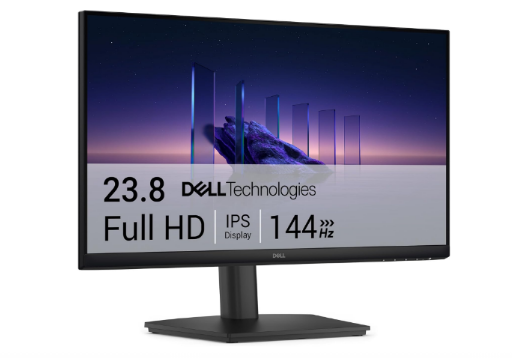
1. Dell 24 Monitor – SE2426HS
Dell 24 Monitor – SE2426HS is a 23.8-inch Full HD IPS monitor with a 144Hz refresh rate, AMD FreeSync, and eye-comfort features for work, gaming, and everyday use.
Its Full HD IPS panel delivers clear visuals with wide viewing angles, while the 144Hz refresh rate and AMD FreeSync support make it suitable for productivity, casual gaming, and entertainment.
Best for: Home offices, students, everyday users, and casual gamers.
Key Features:
- 23.8-inch Full HD IPS display
- 1920 × 1080 resolution
- 144Hz refresh rate
- 1ms MPRT response time
- AMD FreeSync support
- 178° horizontal and vertical viewing angles
- TÜV Rheinland Eye Comfort certification
- Flicker-Free and Low Blue Light technology
- Dual HDMI connectivity
- VESA mount support
| Pros | Cons |
| Smooth 144Hz refresh rate for gaming and daily use | Full HD resolution may feel limited for creative professionals |
| IPS panel provides accurate colours and wide viewing angles | No DisplayPort input (HDMI only) |
| Eye-care features support longer viewing sessions | No USB-C connectivity |
| Good balance of price, performance, and reliability |
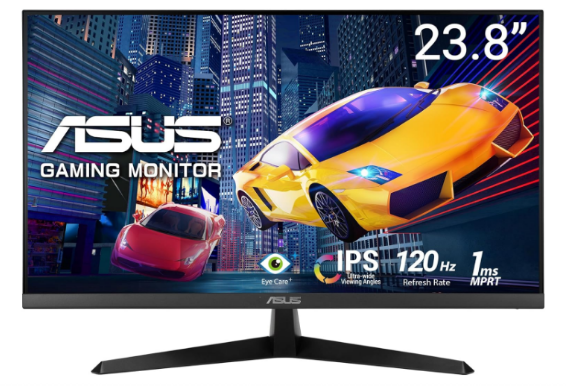
2. ASUS VY249HGR
ASUS VY249HGR: A budget 24-inch IPS monitor with 120Hz refresh rate, Adaptive-Sync, and eye-care features for smooth gaming, work, and everyday use.
Its IPS panel delivers clear colours and wide viewing angles, while the 120Hz refresh rate and Adaptive-Sync support make it suitable for casual gaming, work, and entertainment.
Best for: Budget gamers, students, home offices, and everyday users.
Key Features:
- 23.8-inch Full HD IPS display
- 1920 × 1080 resolution
- 120Hz refresh rate
- 1ms MPRT response time
- Adaptive-Sync support
- ASUS Eye Care+ technology
- Flicker-Free and Low Blue Light features
- GamePlus and GameFast Input technology
- HDMI and VGA connectivity
- 100 × 100mm VESA mount support
| Pros | Cons |
| Smooth 120Hz performance for gaming and daily use | Full HD resolution may not satisfy professional creators |
| IPS panel provides good colours and viewing angles | Stand only offers tilt adjustment |
| Eye-care features support longer viewing sessions | No built-in speakers |
| Affordable price with versatile features |
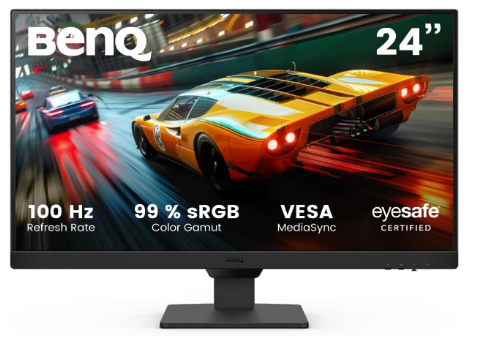
3. BenQ GW2490
BenQ GW2490: A budget 24-inch IPS monitor with Full HD resolution, 100Hz refresh rate, and eye-care features, ideal for office work, study, and everyday computing.
It delivers comfortable viewing for students, home offices, and general productivity tasks.
Best for: Budget-conscious users, students, and home offices.
Key Features:
- 23.8-inch Full HD IPS display
- 100Hz refresh rate
- Brightness Intelligence technology
- Low Blue Light and Flicker-Free technology
- HDMI and DisplayPort connectivity
| Pros | Cons |
| Affordable price point | Limited gaming features |
| Good colour quality for daily use | Basic design |
| Eye-care features |
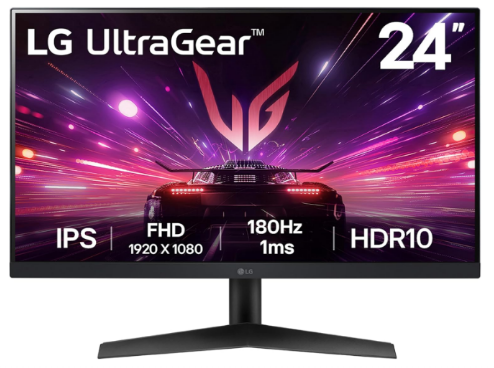
4. LG UltraGear 24GS60F-B
LG UltraGear 24GS60F-B is a 24-inch gaming monitor with a Full HD IPS display, 180Hz refresh rate, 1ms response time, and Adaptive-Sync for smooth, responsive gameplay.
Its high refresh rate, low response time, and Adaptive-Sync support provide smoother gameplay for competitive gaming and fast-paced titles.
Best for: Competitive gamers and esports players.
Key Features:
- 24-inch Full HD IPS display
- 180Hz refresh rate
- 1ms response time
- AMD FreeSync support
- HDR10 support
- Gaming-focused picture modes
| Pros | Cons |
| Excellent motion clarity | Limited HDR performance |
| High refresh rate at an affordable price | Basic stand adjustment |
| Low input lag |
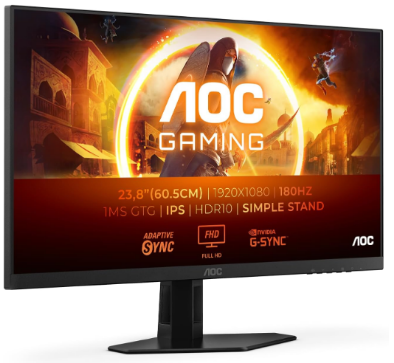
5. AOC 24G4XED
AOC 24G4XED is a full HD Fast IPS gaming monitor with 180Hz refresh rate, 1ms response time, and Adaptive-Sync for smooth, responsive, and competitive gameplay.
Its Fast IPS panel, high refresh rate, and Adaptive-Sync support make it a strong choice for competitive and casual gamers.
Best for: Budget gamers seeking fast refresh rates and smooth visuals.
Key Features:
- 24-inch Full HD Fast IPS display
- 180Hz refresh rate
- 1ms response time
- Adaptive-Sync support
- Low input lag mode
- HDR10 support
| Pros | Cons |
| Excellent gaming performance for the price | Limited HDR experience |
| Sharp colours and smooth motion | Basic stand adjustment |
| Fast response time for competitive gaming |
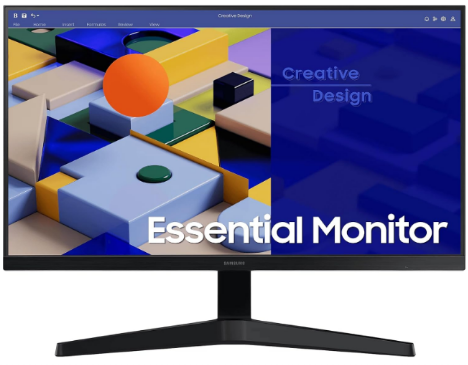
6. Samsung Essential Monitor S3
Samsung Essential Monitor S3 is a 24-inch Full HD monitor with a 100Hz refresh rate, Eye Saver Mode, and a slim design, ideal for office work, browsing, streaming, and daily use.
Its slim design and simple features make it suitable for home and workplace setups.
Best for: Everyday computing and home users.
Key Features:
- 24-inch Full HD IPS display
- 100Hz refresh rate
- Eye Saver Mode
- Slim bezel design
- HDMI connectivity
| Pros | Cons |
| Clean and modern design | Limited ergonomic adjustments |
| Good for general use | Not suitable for demanding gaming |
| Affordable option |
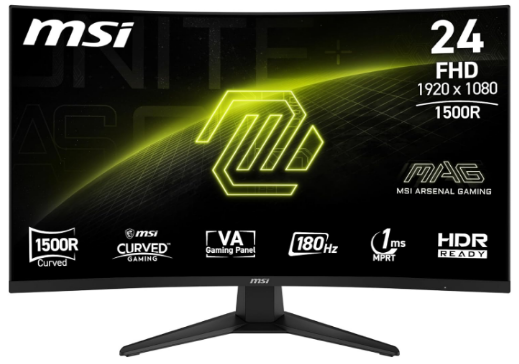
7. MSI MAG 244C
MSI MAG 244C is a 24-inch curved gaming monitor with an 180Hz refresh rate, 1ms response time, Adaptive-Sync, and high contrast for smooth and immersive gameplay.
Its high refresh rate, fast response time, and curved VA panel make it suitable for gamers who want a more engaging viewing experience.
Best for: Casual gamers and immersive gaming setups.
Key Features:
- 23.6-inch Full HD curved VA panel
- 180Hz refresh rate
- 1ms response time
- 1500R curvature
- Adaptive-Sync support
- Gaming OSD features
| Pros | Cons |
| Immersive curved display | VA panels may have slower pixel response than IPS |
| High refresh rate for gaming | Not ideal for professional colour work |
| Strong contrast levels |
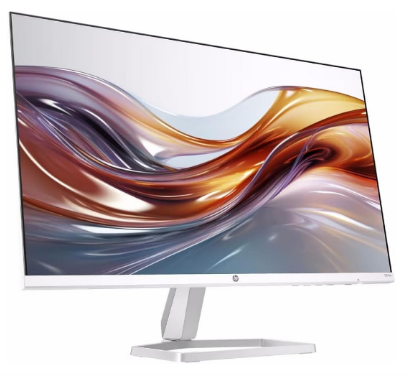
8. HP Series 5 524sa
HP Series 5 524sa is a 24-inch Full HD IPS monitor with a 100Hz refresh rate, slim design, and eye comfort features, ideal for work, study, and everyday entertainment.
Its IPS panel offers wide viewing angles and consistent image quality for everyday tasks.
Best for: Home offices and general productivity.
Key Features:
- 23.8-inch Full HD IPS display
- 100Hz refresh rate
- Thin bezel design
- HDMI connectivity
- Eye comfort features
| Pros | Cons |
| Good image quality for daily tasks | Limited advanced features |
| Simple and clean design | Not designed for gaming |
| Affordable |
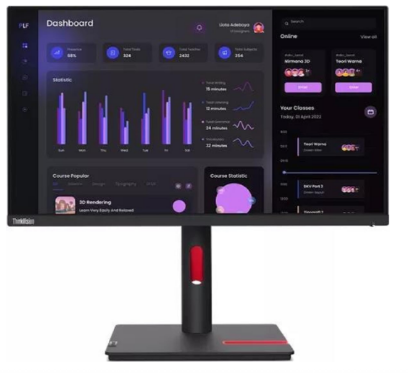
9. Lenovo ThinkVision T24i-30
Lenovo ThinkVision T24i-30 24-inch is a Full HD IPS business monitor with ergonomic design, 60Hz refresh rate, and reliable connectivity for professional workspaces.
Its IPS display and professional features make it suitable for office workers, remote teams, and corporate setups.
Best for: Business users and professional workspaces.
Key Features:
- 23.8-inch Full HD IPS panel
- 60Hz refresh rate
- Ergonomic adjustable stand
- Multiple connectivity options
- Low blue light technology
| Pros | Cons |
| Excellent office-focused design | Limited gaming performance |
| Comfortable for long work sessions | Higher cost than basic monitors |
| Reliable build quality |
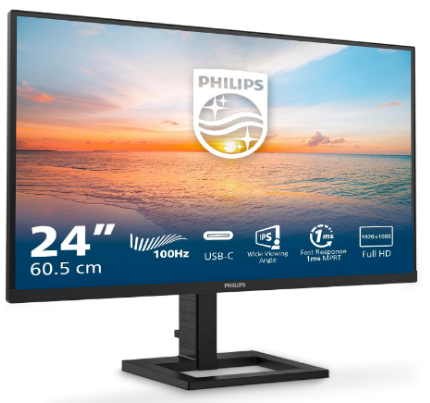
10. Philips 24E1N1100A
Philips 24E1N1100A budget 24-inch is Full HD IPS monitor with 100Hz refresh rate, eye-care features, and built-in speakers, ideal for work, study, and everyday use.
Its Full HD IPS panel provides clear visuals, wide viewing angles, and accurate colours, while eye-care features make it comfortable for extended usage.
Best for: Budget users, students, home offices, and everyday computing.
Key Features:
- 23.8-inch Full HD IPS display
- 1920 × 1080 resolution
- 100Hz refresh rate
- 1ms MPRT response time
- LowBlue Mode and Flicker-Free technology
- 178° viewing angles
- Built-in stereo speakers
- HDMI and VGA connectivity
- VESA mount support
| Pros | Cons |
| Affordable price with strong everyday performance | Full HD resolution may feel limited for creative professionals |
| IPS panel offers good colours and viewing angles | Basic stand with limited ergonomic adjustments |
| 100Hz refresh rate improves smoothness over 60Hz monitors | Not designed for competitive gaming |
| Eye-care features support longer viewing sessions |
People Also Want to Know More About 24-inch Monitor
How big is a 24-inch monitor?
A 24-inch monitor refers to the diagonal screen size, measuring approximately 24 inches from one corner to the opposite corner. The typical display area is around 20.9 inches wide and 11.8 inches tall.
How wide is a 24-inch monitor?
A standard 24-inch monitor is usually around 21 inches wide, depending on the bezel design and aspect ratio. Most 16:9 models fit comfortably on smaller desks and compact workspaces.
What is the best 24-inch monitor?
The best 24-inch monitor depends on your needs. The Dell SE2426HS is a strong all-round option for productivity, while the LG UltraGear 24GS60F-B and MSI MAG 244C are better choices for gaming performance.
What resolution is a 24-inch monitor?
Most 24-inch monitors use 1920 × 1080 Full HD resolution, which provides sharp image quality at this screen size. Some professional 24-inch models, such as the ASUS ProArt Display PA248QV, offer higher resolutions like 1920 × 1200 for creative work.
Is a 24-inch monitor good for gaming?
Yes, a 24-inch monitor is a popular choice for gaming because it offers fast response times, high refresh rates, and a compact viewing area.
24-inch vs 27-inch monitor: Which is better?
A 24-inch monitor is better for smaller desks, competitive gaming, and budget setups, while a 27-inch monitor provides more screen space for productivity, editing, and immersive gaming. The better choice depends on your desk size, viewing distance, and usage needs.
My Final Words on 24-Inch Monitors
Choosing the best 24-inch monitor depends on how you use your screen. For long work sessions, models like the Dell SE2426HS and Philips 24E1N1100A offer comfortable viewing and reliable everyday performance.
For gaming and entertainment, monitors with higher refresh rates, faster response times, and Adaptive-Sync support provide a smoother experience.
For a mixed setup that includes work, browsing, and streaming, a balanced monitor with good image quality, connectivity, and ergonomics is the most practical choice. The right option will depend on your budget, workspace, and performance needs.
