
A laptop stand sounds like a small thing until you use one for a week and suddenly realise you’ve been hunching like a question mark for years. If you work from home, study, game, or take endless Zoom calls, a good stand can lift your screen to a healthier height, improve airflow, tidy your desk, and make your setup feel properly “sorted”.
In this guide, we’ll chat through why laptop stands matter, the best types, what to look for before you buy, and a brand comparison of 5 popular companies—including the most recommended option among UK shoppers and UK publications.
If you want to explore more laptop accessory ideas, check this detailed guide here: Top Laptop Accessories Picks.
Why a Laptop Stand Is Worth It (Even If You Think You Don’t Need One)
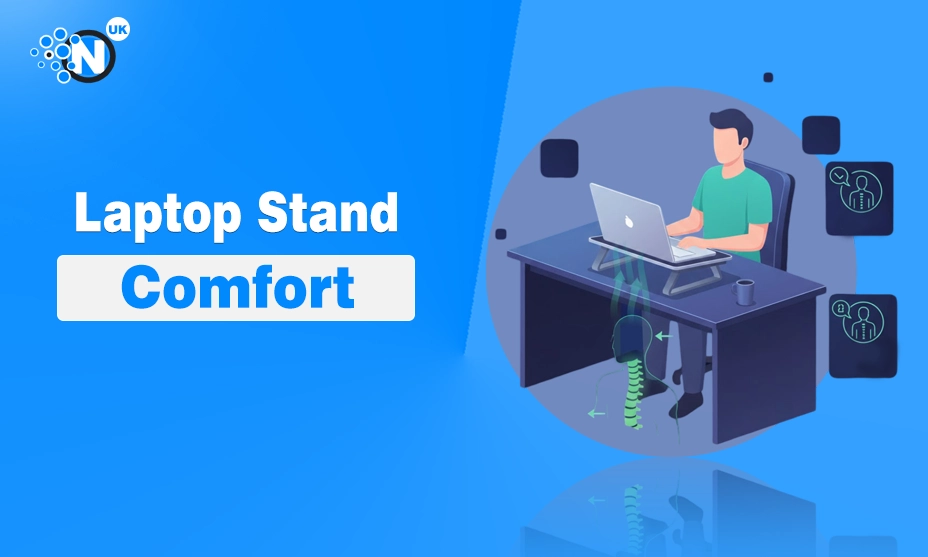
Let’s keep it real: most of us place our laptop on a desk and get on with it. The problem is the screen sits too low, so your neck bends down for hours. Over time that can cause neck strain, shoulder tension, headaches, and that “stiff as a board” feeling at the end of the day.
A laptop stand helps by:
- Raising the screen closer to eye level (better posture)
- Reducing neck and upper-back strain
- Improving airflow (laptops run cooler)
- Freeing desk space (you can tuck a keyboard underneath)
- Creating a more comfortable typing and viewing angle
If you’ve ever searched things like ergonomic desk setup, best laptop stand for working from home, portable laptop riser, or adjustable laptop stand for MacBook, you’re already thinking along the right lines.
The Main Types of Laptop Stands (And Who They’re For)
Not all stands are made the same. Here are the most common types you’ll see in the UK.
1) Fixed-Height Aluminium Stands
Best for: a permanent desk setup, MacBook users, minimalist setups
These are the sturdy, stylish “one-piece” stands. They’re stable and look great, but they don’t usually adjust much.
Good if you want: strong build, clean desk aesthetic, simple setup.
2) Adjustable Desktop Stands
Best for: working from home, mixed users, shared desks
These can change height and angle. Ideal if you like to fine-tune posture or swap between chairs and desks.
Good if you want: flexible height, better ergonomics, long work sessions.
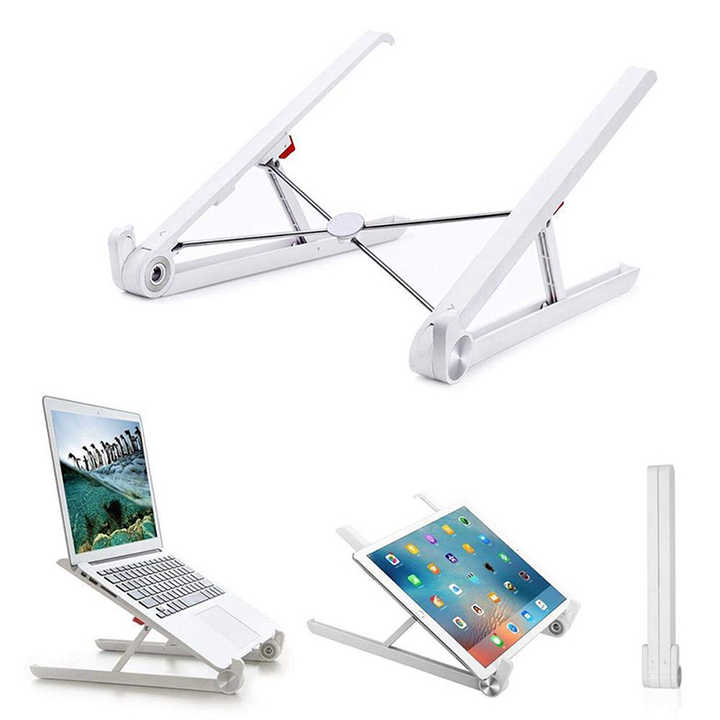
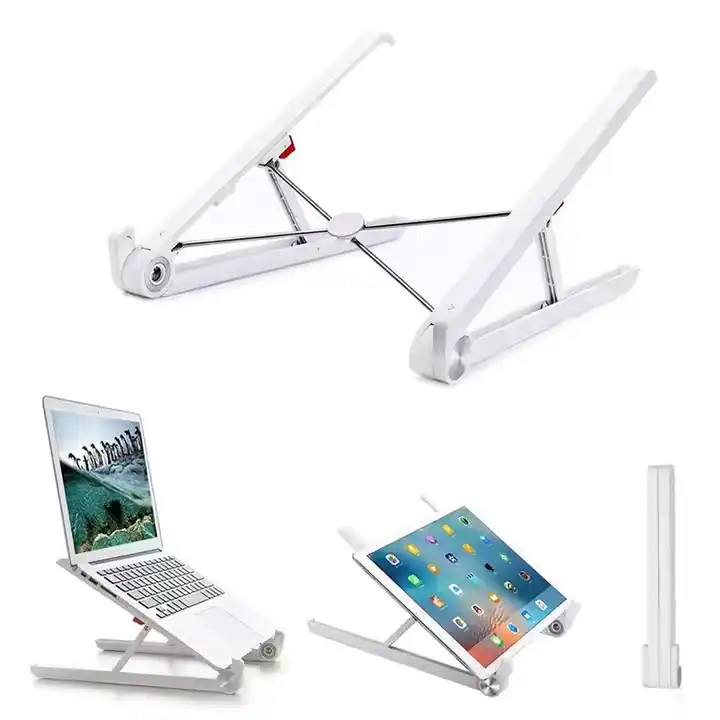
3) Foldable Travel Stands
Best for: commuters, students, digital nomads
Lightweight, packable, and quick to set up. Perfect if your “office” changes daily.
Good if you want: portability, compact design, easy storage.
4) Cooling Stands / Ventilated Riser Stands
Best for: gaming laptops, heavy workloads, hot rooms
Some are designed mainly for airflow (sometimes with fans, sometimes just open design).
Good if you want: cooler temps, better performance, less fan noise.
5) Sit–Stand Converter Laptop Platforms
Best for: standing desk lovers, back pain sufferers, long sessions
These can lift the laptop up high enough for standing work. Usually bigger and pricier.
Good if you want: standing posture options, large height range.
How to Choose the Right Laptop Stand (Without Overthinking It)
Here’s the simple checklist that actually matters.
Height: Can it raise your screen properly?
Your eyes should land around the top third of the screen when you sit normally. If the stand raises the laptop but not enough, you’ll still bend your neck.
Adjustability: Do you need angle + height control?
If you’re doing long sessions, adjustable stands are brilliant. If you want something “set and forget”, a fixed stand is fine.
Stability: Does it wobble when typing?
A little wobble becomes annoying fast. Look for sturdy materials, good foot grips, and solid joints.
Portability: Are you moving it around?
If you travel or move between rooms, a foldable stand is better than a heavy aluminium block.
Cooling: Is your laptop always running hot?
If your laptop heats up during work or gaming, choose an open design with airflow.
Compatibility: Will it fit your laptop size?
Most stands fit 11–17 inch laptops, but always check the width and weight support
Quick Ergonomic Tip (This One Matters)
A stand alone often isn’t enough for comfort.
To get the best posture:
- Put the laptop on the stand (screen up)
- Use an external keyboard and mouse (hands down)
That way your neck is happy and your wrists are happy too. Honestly, this small combo is what makes a setup feel “proper”.
5 Popular Laptop Stand Companies Compared (UK-Friendly Choices)
Now to the part people actually want: which brands are worth looking at?
Below is a comparison of five well-known laptop stand companies you’ll commonly see recommended online and available in the UK.
Comparison Table: 5 Brands Side-by-Side
| Brand | Best For | Style | Typical Price Range | Standout Point |
|---|---|---|---|---|
| Rain Design | Home office / MacBook-style setups | Premium aluminium | Mid to premium | Strong ergonomics and sturdy build |
| Twelve South | Apple-friendly aesthetics | Minimal, elegant | Mid to premium | Stylish design, quality finish |
| Nexstand | Travel / portable working | Foldable plastic/metal | Budget to mid | Super portable and height adjustable |
| Roost | Premium travel + durability | Foldable travel stand | Premium | Lightweight and known for build quality |
| Amazon Basics | Budget setups | Simple, practical | Budget | Surprisingly sturdy value pick |
Which one is most recommended by UK people?
If we’re talking “most recommended” in a real-world UK sense-meaning it’s repeatedly picked by UK publications and backed by lots of UK shopper feedback-Rain Design is the standout.
- British GQ listed the Rain Design iLevel as the “best overall laptop stand”.
- Real Homes said its top pick is the Rain Design mStand.
- On Amazon UK, Rain Design’s mStand pages show strong positive customer sentiment around quality and ergonomics.
So, if you want the “safe choice” that’s widely praised and easy to find in the UK, Rain Design is the most UK-recommended overall.
Brand Breakdown (Honest and Practical)
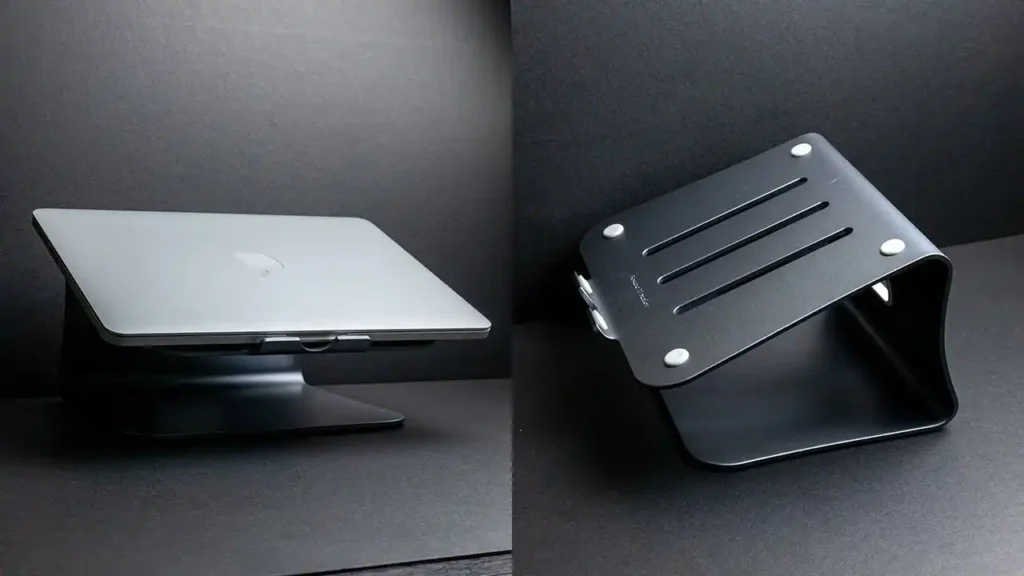
1) Rain Design (Most Recommended in the UK)
Rain Design stands are popular because they do the basics brilliantly: stable build, comfortable height, and a clean premium feel. UK roundups have repeatedly highlighted Rain Design as a top overall choice.
Best for: daily desk use, long workdays, tidy setups
Not ideal for: people who need a super-light travel stand
2) Twelve South (Style + Function)
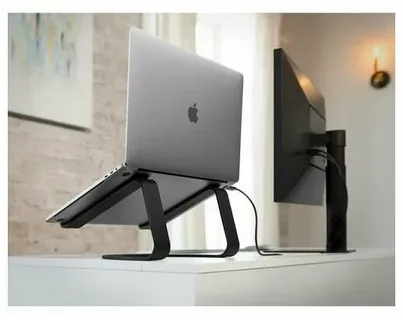
If your desk setup matters to you (and let’s be honest, it does), Twelve South is known for minimal, Apple-friendly design. Their stands often balance looks with usability, and they’re generally well-liked as premium alternatives.
Best for: design lovers, home office aesthetic
Not ideal for: tight budgets
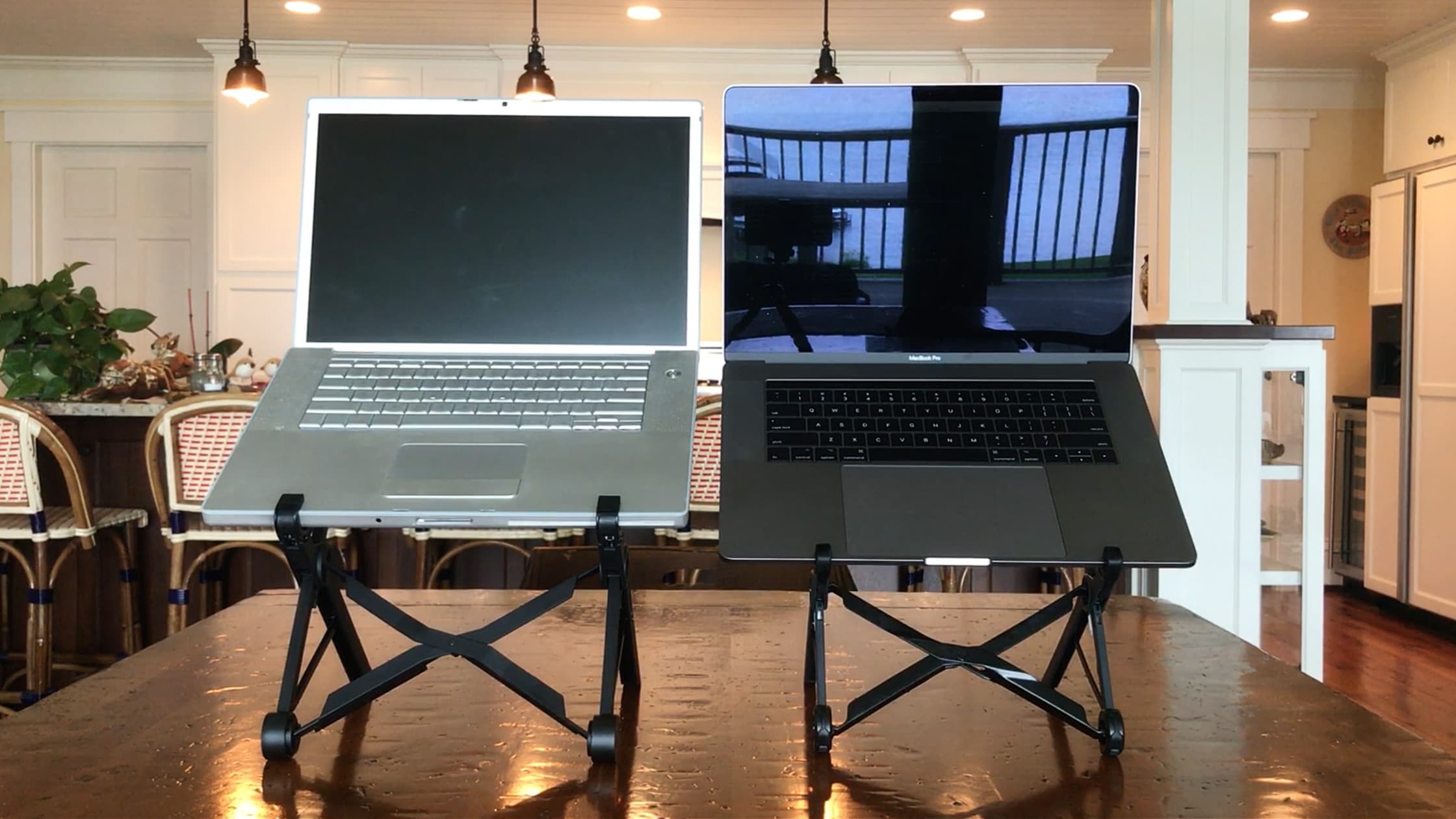
3) Nexstand (Portable Work Hero)
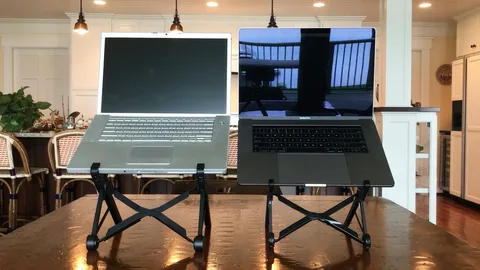
Nexstand is the one people grab when they want a portable laptop stand that actually lifts the laptop high enough. It’s also commonly mentioned as easy to pack and adjust.
Best for: travel, hybrid working, students
Not ideal for: people who want a heavy “zero wobble” stand
4) Roost (Premium Travel Stand)
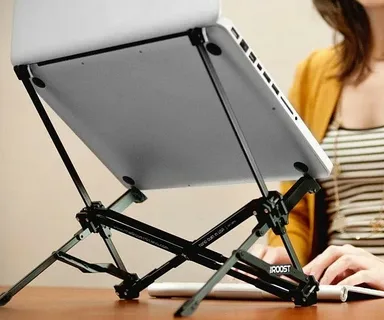
Roost is often compared with Nexstand as a higher-end travel option. Some comparisons emphasise Roost’s sturdier feel and durability, especially for frequent travel users.
Best for: frequent travellers, serious portable setups
Not ideal for: bargain hunters
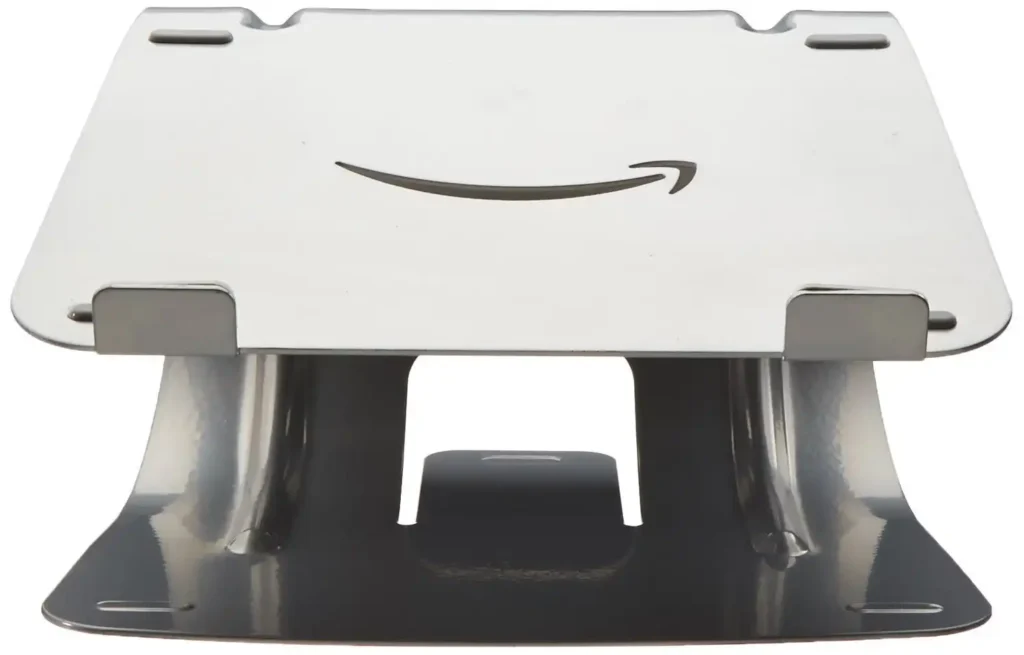
5) Amazon Basics (Best Budget Value)
If you want a stand that’s cheap but not rubbish, Amazon Basics gets surprising praise. Wired tested many stands and noted the AmazonBasics model performed extremely well for sturdiness.
Best for: budget buyers who still want solid performance
Not ideal for: people chasing premium aesthetics
What to Look for in the “Best Laptop Stand” (Real Buying Factors)
Let’s translate features into real-life benefits.
Material: Aluminium vs plastic vs wood
- Aluminium laptop stands feel premium and stable, often last longer.
- Plastic stands can be great for travel (lightweight), but check for wobble.
- Wood/bamboo stands look warm and stylish, but can be bulky.
Anti-slip grips
Rubber grips keep the laptop from sliding and protect your desk. Without grips, a stand can feel sketchy.
Cable management
A small cut-out or channel can keep your setup neat—especially if you use an external monitor.
Adjustability range
If you’re tall (or your chair sits low), you’ll want more height adjustment than you think.
Desk space and keyboard fit
Many fixed stands allow you to slide a keyboard underneath. If your desk is small, this is a big win.
Laptop Stand Setup Ideas (Simple but Effective)
Here are a few easy setups that feel great:
The “WFH Classic”
- Laptop stand
- External keyboard + mouse
- Separate webcam (optional)
The “Small Desk Saver”
- Laptop stand with space underneath
- Compact keyboard
- Mouse pad
- A single cable for charging only
The “Travel Work Kit”
- Foldable laptop stand
- Foldable keyboard
- Small mouse
- USB-C hub
FAQs About Laptop Stands
Yes-because they raise the screen to reduce neck bending. For best results, pair the stand with a separate keyboard and mouse.
Many UK roundups recommend Rain Design models as top picks, including British GQ and Real Homes.
For long working hours, yes. Adjustable stands let you find the most comfortable height and viewing angle.
Often, yes. Lifting the laptop improves airflow. Ventilated designs can help even more.
You can, but it’s not ideal for long sessions. The best ergonomic setup is stand + external keyboard.
Foldable stands like Nexstand (budget/mid) and Roost (premium) are popular travel-friendly options.
Final Thought
If your laptop is your daily tool, then a laptop stand is one of the easiest upgrades you can make. It’s not flashy, but it genuinely improves comfort, posture, and focus-especially if you work from home or study for hours.
If you want the most UK-recommended all-rounder, Rain Design is the safest bet, backed by UK publications and strong shopper feedback.
If you travel a lot, look at Nexstand or Roost.
If you want a value pick, Amazon Basics can be surprisingly solid.