


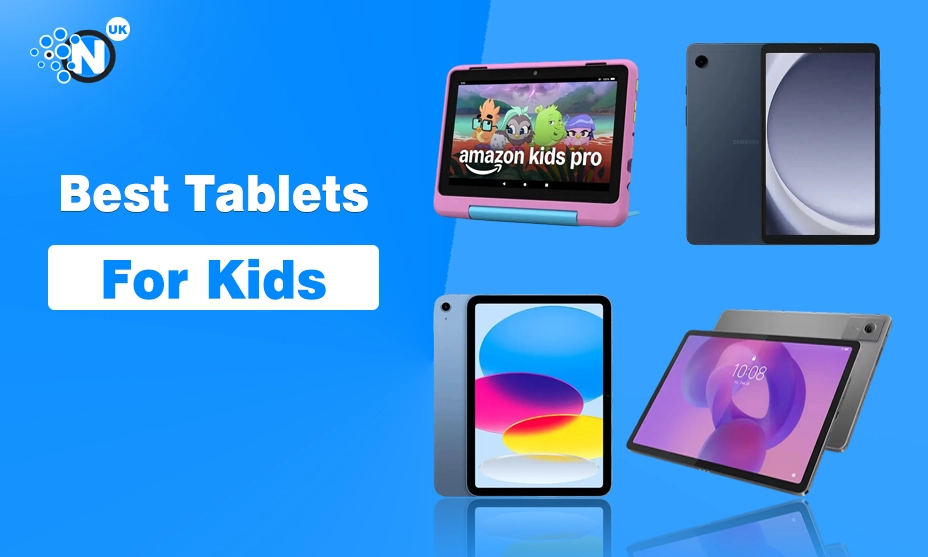
Choosing a tablet for a child is different from buying one for yourself. Performance still matters, but parents also need to think about age-appropriate content, parental controls, durability, screen size and how much freedom a child should have to install apps or browse online.
For younger children, a purpose-built Amazon Fire Kids tablet is usually the easier starting point. Older children can benefit from a more flexible Android tablet or iPad that can handle homework as well as entertainment.
We have selected seven options for different ages and budgets, including the Samsung Galaxy Tab A9, which we have already reviewed separately at NogenTech UK.
Best Tablets for Kids at a Glance
| Tablet | Best for | Suggested age | Parental controls | Protective case |
| Amazon Fire HD 8 Kids | Best overall | 3–7 | Yes | Included |
| Amazon Fire HD 8 Kids Pro | Older children | 6–12 | Yes | Included |
| Samsung Galaxy Tab A9 | Shared family use | 8+ | Samsung Kids | No |
| Apple iPad (A16) | Teenagers | 13+ | Apple parental controls | No |
| Lenovo Idea Tab | Schoolwork | 8+ | Google Family Link | No |
| Amazon Fire 7 Kids | Younger children on a budget | 3–7 | Yes | Included |
| Pebble Gear Kids Tablet | First tablet | 3–8 | Child-focused environment | Included |
Age recommendations are practical buying guidance rather than universal rules. A child’s maturity and the parental controls you configure matter as much as their age.
What Should Parents Look for in a Kids’ Tablet?
The fastest processor should not automatically decide which tablet you buy for a child.
We would consider these factors first.
Parental controls
Parents should be able to control what a child can access, how long they can use the tablet and, where appropriate, whether purchases or downloads require approval.
This becomes increasingly important when moving from a dedicated kids’ tablet to a standard Android tablet or iPad.
Age suitability
A colourful tablet with a chunky protective case can make sense for a four-year-old but feel unnecessarily restrictive to an 11-year-old.
Likewise, giving a very young child an expensive standard iPad may mean spending considerably more while still needing to buy a rugged case and configure the device yourself.
Durability
Purpose-built kids’ tablets often include protective cases, whereas standard Samsung, Apple and Lenovo tablets normally require you to buy protection separately.
Apps and content
Amazon Fire tablets provide a controlled environment but have a more limited app ecosystem. Standard Android tablets and iPads provide greater flexibility, which becomes increasingly useful for older children.
Storage
Videos, games and offline content can fill a small amount of storage surprisingly quickly.
Expandable microSD storage is therefore useful on compatible Android and Fire tablets. iPads do not offer expandable storage, so the capacity you buy initially matters more.
1. Amazon Fire HD 8 Kids – Best Tablet for Younger Kids Overall
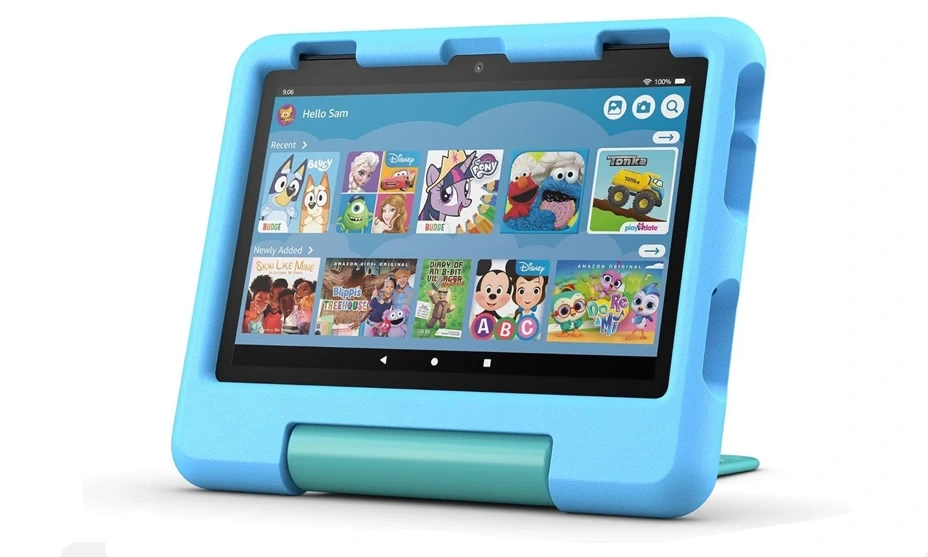
For a younger child getting their first proper tablet, the Amazon Fire HD 8 Kids is one of the easiest options for parents to manage.
Rather than buying a standard tablet and then adapting it for a child, the Kids edition combines the tablet with a protective case and Amazon’s child-focused software environment.
Parents can create profiles and manage content and usage through Amazon’s parental controls. The included case is another practical advantage when the tablet is going to spend time in a child’s hands rather than sitting safely on a desk.
Current UK parent-focused testing also places the Fire HD 8 Kids among the strongest all-round choices. MadeForMums currently lists it as its overall-value recommendation and reports up to 13 hours of claimed battery life for the current model.
What we like
- Protective case included
- Straightforward parental controls
- Child-focused interface
- Expandable storage
- Suitable size for smaller hands
What to consider
The main limitation is Fire OS. It does not give you the same full Google app experience as a conventional Android tablet.
That matters less for a young child using selected games, books and videos, but can become more restrictive as their requirements grow.
Best for: Younger children who need a manageable first tablet.
2. Amazon Fire HD 8 Kids Pro – Best for Older Children
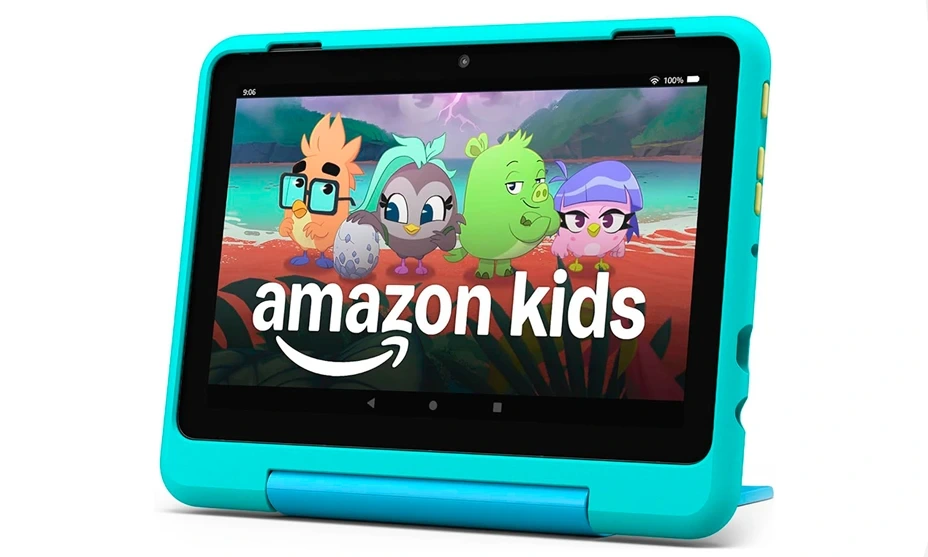
The Fire HD 8 Kids Pro takes a similar idea but makes it better suited to children who have moved beyond the youngest age group.
Its design is less toddler-like, while parents retain the controls that make the Fire Kids range attractive in the first place.
The current model is aimed broadly at school-age children, and UK parent testing puts it in the 6–12 age range, with up to 13 hours of claimed battery life and expandable storage.
That makes it useful for the awkward stage where a child wants something that feels more grown-up, but a parent is not ready to hand over an unrestricted standard tablet.
What we like
- More mature design than the standard Kids model
- Parental controls
- Protective case
- Expandable storage
- Suitable for entertainment and educational content
What to consider
The slimmer case is not as protective as the chunkier case supplied with the standard Kids edition, and Fire OS remains more limited than full Android or iPadOS.
Best for: Children roughly 6–12 who have outgrown a toddler-style tablet but still need strong parental controls.
3. Samsung Galaxy Tab A9 – Best Affordable Android Tablet for Kids
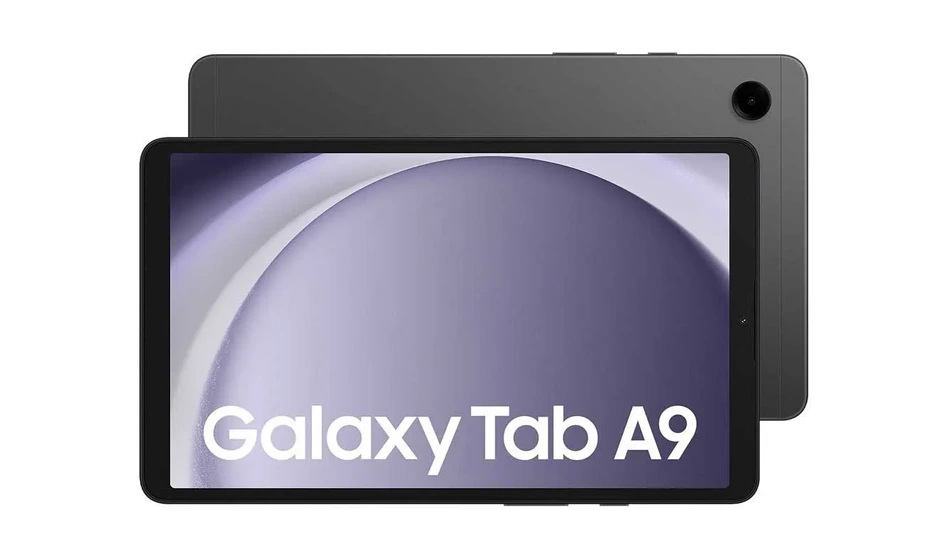
The Samsung Galaxy Tab A9 is different from the two Amazon options because it is not specifically a kids’ tablet.
That can actually become an advantage for an older child.
Its 8.7-inch display keeps the tablet compact, while Android gives access to a much broader selection of applications. Storage can also be expanded with a microSD card.
More importantly for parents, Samsung provides Samsung Kids, a child-friendly environment where parents can manage access and usage. Samsung’s own UK guidance includes the Galaxy Tab A9 among devices supporting its child-focused setup.
Unlike the Fire Kids models, however, you do not get a chunky protective kids’ case in the box. We would therefore budget for a durable case if the tablet is being bought primarily for a child.
Why it stands out
The A9 can grow with a child more naturally than a dedicated kids’ tablet.
A younger user can spend time within Samsung Kids, while the device remains a conventional Android tablet that can later be used for schoolwork, streaming, browsing and general family use.
Current UK family-tablet comparisons also position the Galaxy Tab A9 as a good shared-family option for children around eight and above.
We have looked at its everyday performance, display, software and limitations separately in our Samsung Galaxy Tab A9 review.
What we like
- Full Android experience
- Samsung Kids support
- Compact 8.7-inch display
- Expandable storage
- Useful beyond children’s entertainment
What to consider
- Protective case needs to be bought separately
- Less child-proof out of the box than a Fire Kids tablet
- Parents need to configure the child environment themselves
Best for: Children aged around 8+ and families wanting one affordable tablet that can serve more than one purpose.
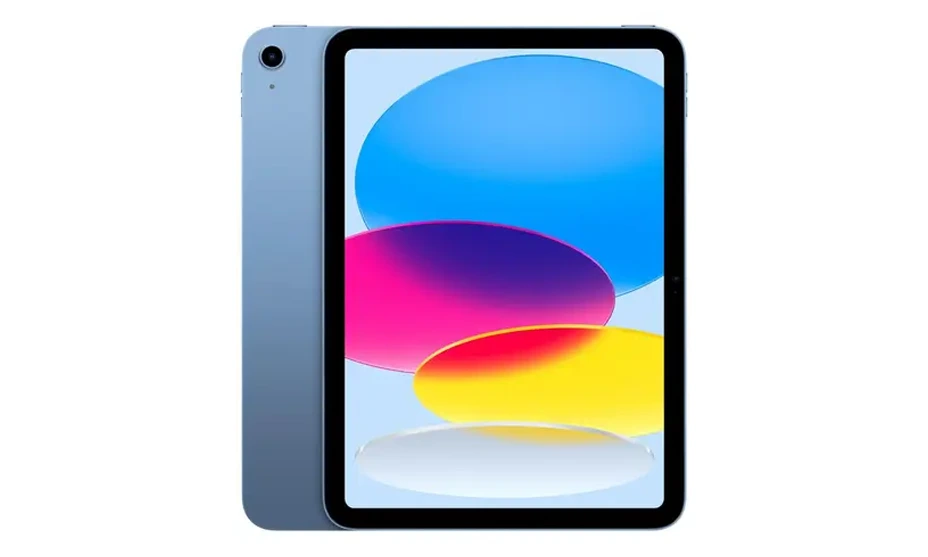
4. Apple iPad (A16) – Best Tablet for Teenagers
Once a child reaches their teenage years, buying a dedicated kids’ tablet becomes much less compelling.
The standard iPad with the A16 chip is a more versatile option for schoolwork, creative applications, gaming, streaming and everyday use.
Apple provides Screen Time and family controls that allow parents to manage content restrictions, purchases, communication and app usage. The iPad also has one of the broadest tablet app ecosystems.
The current generation starts with substantially more storage than older entry-level iPads, which is useful if the tablet is expected to remain in use for several years.
The downside is cost.
A protective case also needs to be purchased separately, and unlike many Android tablets there is no microSD slot for expanding storage later.
What we like
- Excellent selection of apps
- Useful for both school and entertainment
- Strong performance
- Parental controls available
- More likely to remain useful as a child gets older
What to consider
- More expensive than dedicated kids’ tablets
- Case is an additional purchase
- No expandable storage
Best for: Teenagers who need one tablet for school, entertainment and creative applications.
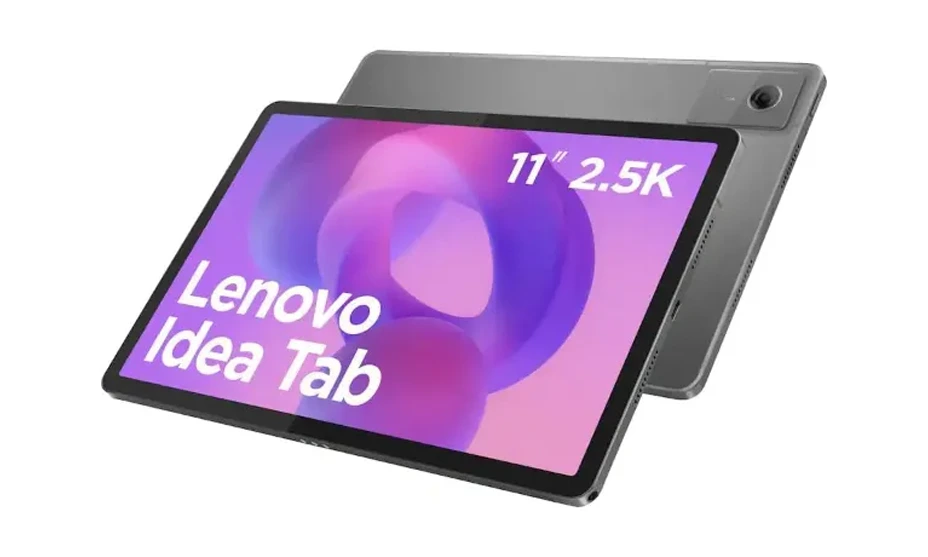
5. Lenovo Idea Tab – Best for Schoolwork
For parents whose priority is homework rather than simply entertainment, a larger Android tablet can make more sense than a small kids’ model.
The Lenovo Idea Tab is particularly interesting because its larger display provides more room for reading, educational applications, online lessons and note-taking.
Android also provides access to Google’s ecosystem, while parental supervision can be managed through tools such as Google Family Link.
A larger tablet naturally takes up more room and may be less comfortable for a young child to hold for extended periods. This is therefore an option we would consider primarily for school-age children rather than toddlers.
What we like
- Larger display for schoolwork
- Full Android app access
- Suitable for research and learning
- More useful as children get older
- Expandable storage on relevant configurations
What to consider
It is less rugged than a purpose-built kids’ tablet, so adding a protective case is sensible.
Best for: School-age children who need a tablet for homework, reading and educational apps as well as entertainment.
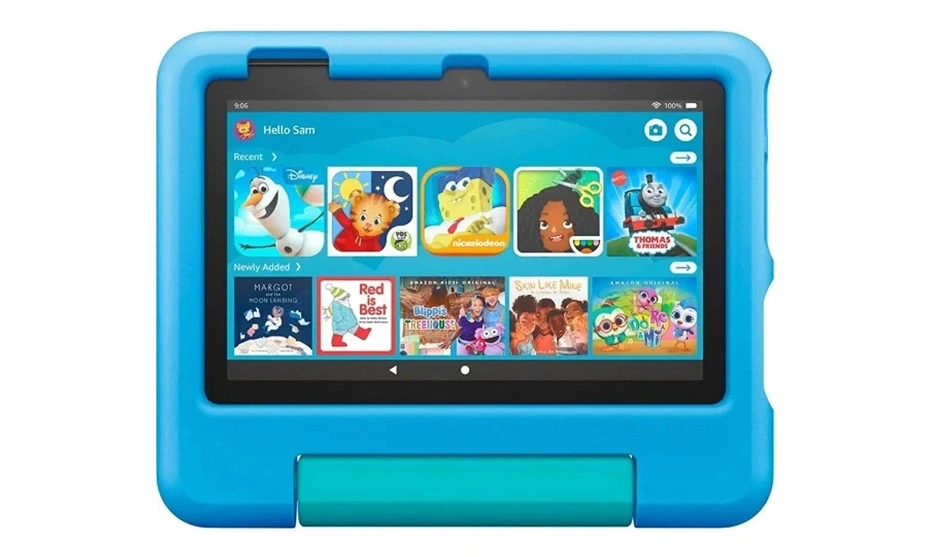
6. Amazon Fire 7 Kids – Best Budget Tablet for Younger Children
The Amazon Fire 7 Kids provides the basic advantages of the Fire Kids ecosystem in a smaller package.
It includes a protective case and parental controls, while the 7-inch screen makes it easier for smaller children to hold.
The current UK market positions it as an entry-level option for roughly ages 3–7. Current family testing highlights its straightforward interface and parental controls but also notes the lower-resolution display and slower performance compared with more expensive alternatives.
Those compromises are reasonable if this is a first tablet rather than a device expected to handle schoolwork for several years.
What we like
- Small and easy to hold
- Protective case
- Parental controls
- Lower purchase price
- Suitable as a first tablet
What to consider
- Less powerful than larger alternatives
- Small display
- Fire OS limitations
- More likely to be outgrown
Best for: Younger children who need a simple first tablet without a large upfront cost.
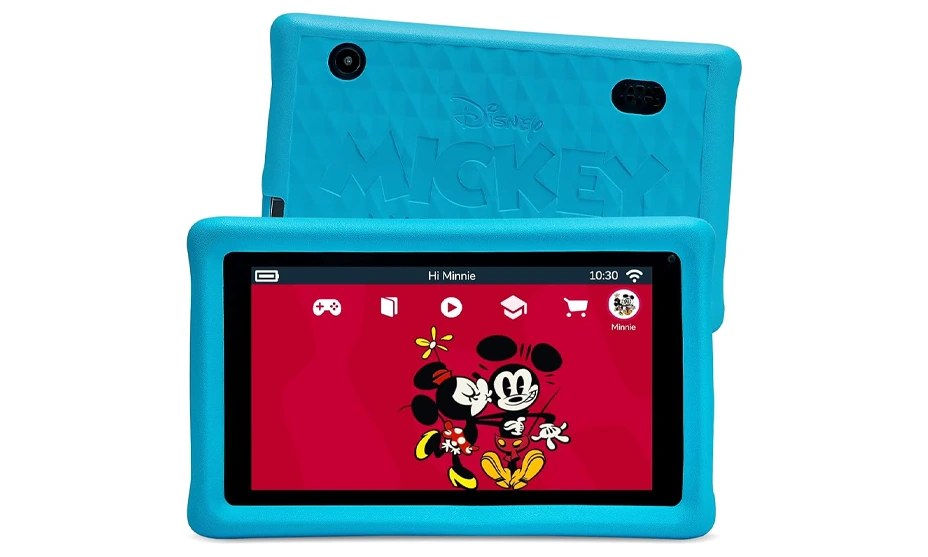
7. Pebble Gear Kids Tablet – Best Simple First Tablet
Not every parent wants to give a three- or four-year-old access to a conventional Android tablet.
A Pebble Gear Kids Tablet takes a more restricted approach, combining a compact tablet with a protective bumper and child-focused content.
The smaller screen and simplified environment make more sense for basic games and entertainment than school productivity. Some models also use familiar children’s brands and characters, which may appeal to younger users.
The trade-off is longevity.
A restricted kids’ tablet can be easier to manage initially, but children are more likely to outgrow it than a standard Android tablet or iPad. We would therefore view this as a first-device option rather than something to buy for long-term school use.
Best for: Young children who only need basic entertainment and child-focused content.
Which Tablet Is Best for Your Child’s Age?
Age can narrow the decision considerably.
| Age | What we would prioritise | Suitable option |
| 3–5 | Simple interface, strong case and parental controls | Fire 7 Kids / Fire HD 8 Kids |
| 6–8 | Durability, educational apps and better performance | Fire HD 8 Kids / Kids Pro |
| 9–12 | Wider apps, schoolwork and more flexible controls | Galaxy Tab A9 / Lenovo Idea Tab |
| 13+ | School, creativity, gaming and long-term usefulness | iPad / standard Android tablet |
These age groups should be treated as guidance rather than rules.
A responsible nine-year-old using a tablet mainly for school may need something very different from another child of the same age who primarily watches videos and plays games.
Kids’ Tablet or Regular Tablet: Which Should You Buy?
A dedicated kids’ tablet is usually easier for younger children.
Products such as the Fire Kids range arrive with protective cases and software designed around parental supervision. There is less work required before handing the device over.
A regular tablet becomes more attractive as children get older.
The Galaxy Tab A9, Lenovo Idea Tab and iPad provide broader app ecosystems and are less likely to feel childish after a year or two. They can also transition from entertainment devices into homework and general family tablets. The downside is that parents need to do more themselves.
You may need to buy a case, create a child account, configure content restrictions and decide which applications are appropriate.
What Parental Controls Should You Set Up?
Buying a kids’ tablet does not remove the need to configure it.
Before giving a tablet to a child, we would check:
- Screen-time limits
- Age-appropriate content restrictions
- App installation permissions
- In-app purchase controls
- Browser and web restrictions
- Communication permissions
- Privacy and location settings
- Separate child and parent profiles where available
Parents should also revisit these settings as their child gets older rather than leaving the original restrictions in place indefinitely.
Is 32GB Enough Storage for a Kids’ Tablet?
It can be enough for basic use, but storage fills more quickly when games and offline videos are involved.
For a dedicated kids’ tablet with expandable storage, 32GB is easier to live with because a microSD card can provide additional capacity.
For a tablet without expandable storage, we would be more cautious.
If you expect a child to keep the device for several years, 64GB or 128GB gives more breathing room, particularly when the tablet will also be used for schoolwork, photos, larger games and downloaded media.
Should You Buy an Expensive Tablet for a Child?
Not automatically.
For a younger child, durability and parental controls can matter more than display quality or processor performance. Spending £300–£500 on a tablet only to place it in the hands of a four-year-old may offer little practical benefit over a purpose-built kids’ model.
The calculation changes for teenagers.
An iPad or capable Android tablet can replace several separate devices by handling homework, video calls, drawing, entertainment and even light creative work. Paying more can therefore make sense when the device is expected to remain useful for several years.
Final Verdict
The Amazon Fire HD 8 Kids is our best tablet for younger children overall because it combines parental controls, a protective case and a child-focused environment without requiring parents to adapt a standard tablet first.
For older children, the Samsung Galaxy Tab A9 is more flexible. Samsung Kids provides a controlled starting point, while full Android access means the tablet can remain useful for schoolwork and general family use as the child grows.
Teenagers who need a device for both education and entertainment should consider the standard iPad, while the Lenovo Idea Tab is worth considering when schoolwork and a larger display are priorities.
Ultimately, the best kids’ tablet is not necessarily the one with the highest specification. Choose according to your child’s age, how much control you need, whether the tablet will be used for school and how long you expect them to keep it.
