


Dinopass is a safe and easy-to-use password generator for children in the UK, but it is designed for basic school accounts—not high-security or sensitive logins. Online safety is a growing concern for UK families and schools.
With children increasingly using platforms like Google Classroom, Edmodo, and school portals, secure passwords are essential. Dinopass offers a simple, child-friendly way to generate strong passwords without compromising privacy.
This Dinopass Password Generator review evaluates the tool from a practical perspective. It covers whether Dinopass is safe for children, the strength of its passwords, and its limitations.
The review focuses on real-world use cases for UK families and schools. It explains when Dinopass is appropriate, when it should be avoided, and what level of protection it provides.
What is DinoPass?
If you are still wondering what DinoPass is, here is its short overview:
“Dinopass is a free, web-based password generator created specifically for children, students, and beginners.”
Unlike traditional password generators that focus on complexity and symbols, Dinopass prioritises readable and pronounceable passwords that are easier for children to remember.
As technology is diving more into the educational world in different cities of the United Kingdom, including famous cities, like London, Birmingham, Leeds, and Nottingham, and the development of more and more online educational platforms is bringing comfort to the study world.
However, a common concern raised among parents as they want to keep the accounts of their children secure.
The tool generates passwords instantly through its website and does not require:
- Account creation
- Email registration
- Personal data input
This makes it particularly appealing to UK parents, teachers, and schools looking for a low-risk solution for managing children’s login credentials.
Dinopass offers two main modes:
Strong Passwords (longer and slightly more complex, but still readable)
Simple Passwords (easier to read and memorise)
Why Do Kids Even Need Password Generator DinoPass?
In this section, I have outlined the importance of DinoPass password generators specifically for children. It is not just about convenience – it is about building habits and safety from an early age.
1. Online Learning Platforms
Kids today use platforms like Google Classroom, Edmodo, Schoology, and many school-related portals. These platforms often require login credentials. A simple and secure password, DinoPass Generator produces can help protect sensitive data like grades, progress reports, or teacher feedback.
2. Building Cybersecurity Awareness Early
Teaching children about cybersecurity does not need to be technical or intimidating. Tools like Dinopass act as an entry point for explaining:
- Why passwords matter
- Why sharing passwords is risky
- Why “easy” passwords are often unsafe
This aligns well with digital literacy goals in UK schools.
3. Avoiding Common Mistakes
Children often choose passwords such as:
- “123456”
- Pet names
- Favourite football teams
A password generator reduces the risk of predictable patterns while still keeping passwords manageable.
Is Dino Pass Safe for Children to Use?
Now here is the part you have been waiting for. Let’s take a closer look at whether DinoPass checks all the boxes when it comes to child safety online.
No Personal Data Required
One of the best things about DinoPass is that it does not ask for any personal information. There are no sign-ups, logins, or forms to fill out. This significantly lowers the risk of data leaks or breaches.
Kid Friendly Interface
The website is visually appealing and easy to use. There are no ads or links that can take your child to sketchy corners of the internet. Everything is confined within a clean, distraction-free layout.
SSL Encryption
Dino Pass uses HTTPS, which means the connection between your browser and the website is encrypted. It is a good sign that the developers take basic website security seriously.
Passwords Are Not Stored
Once a password is generated, it is not stored anywhere on the DinoPass site. This reduces the risk of someone else getting access to your child’s passwords later.
No Download Required
Everything works online in the browser. There is no software to install, which means no hidden malware or annoying updates to worry about.
Suitable Use Cases
Dinopass passwords are suitable for:
- School portals
- Educational platforms
- Child-focused apps
- Beginner accounts
They are not suitable for:
- Email accounts
- Banking or financial services
- Social media accounts with personal data
- Adult or sensitive logins
This limitation should be clearly understood by parents and teachers.
How to Use DinoPass to Generate Passwords?
Let’s catch the action and learn how to use DinoPass to generate passwords by following the steps mentioned below:
- Grab your laptop/PC or mobile.
- Open your updated browser.
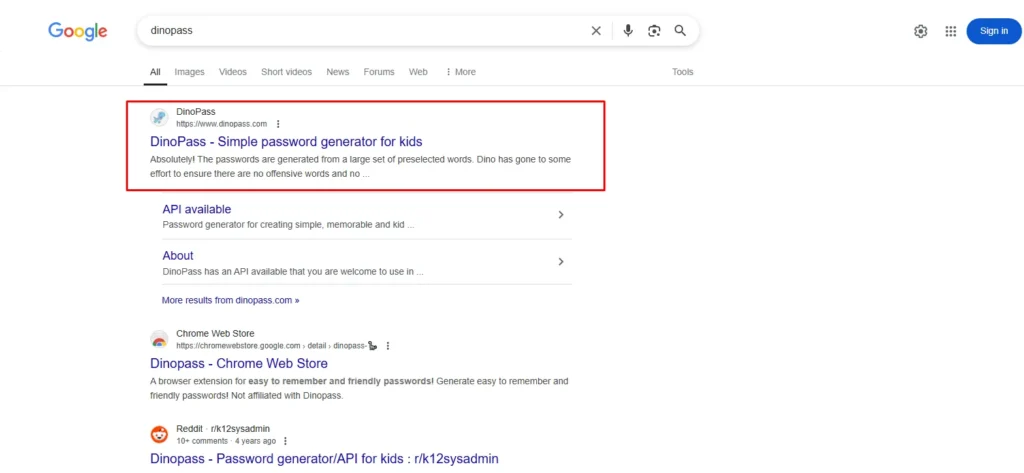
- Type DinoPass in the search bar and press Enter.
- From the results page, click on the official site. You can also visit the DinoPass website here.
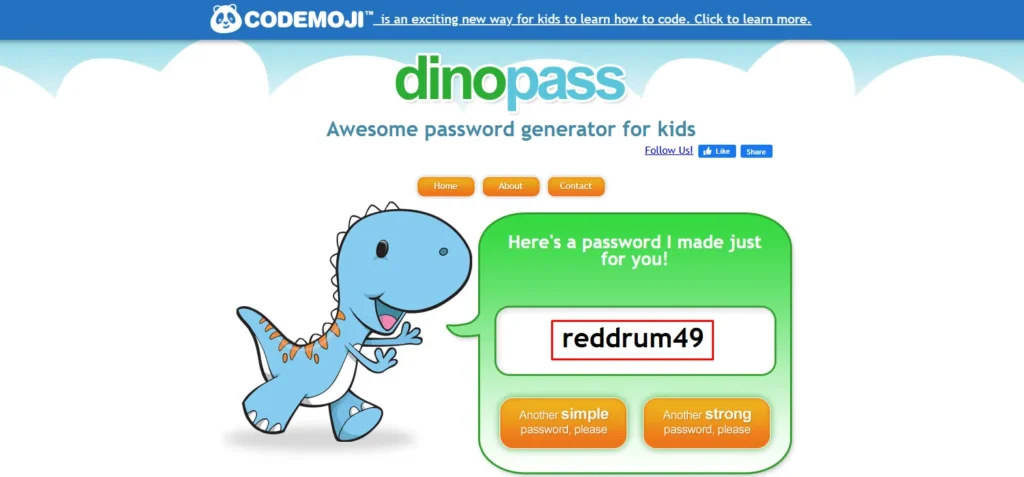
- The homepage will show you a password, which you can easily copy.
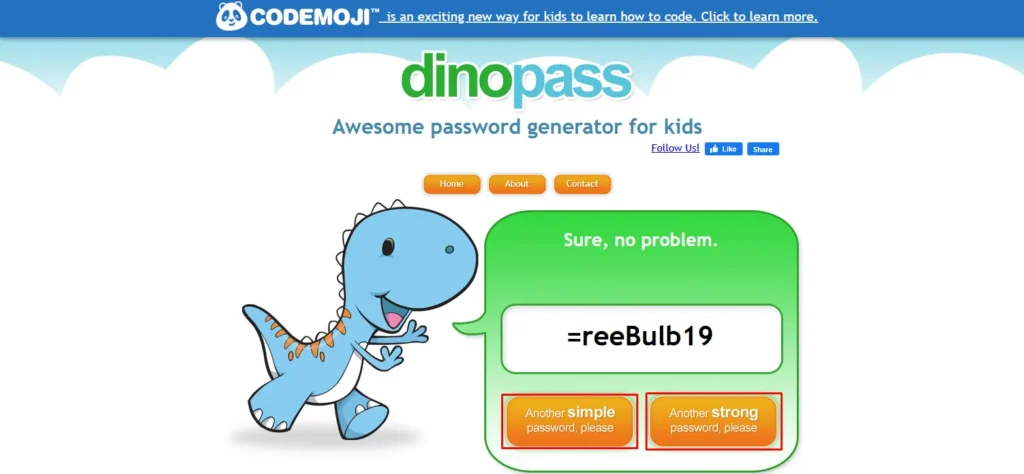
- Additionally, you can click the “Another Simple Password” or “Another Strong Password” button to get a new password.
What Are the Pros and Cons of Dino Pass?
The above mentioned features strongly indicate that DinoPass is safe to use for setting passwords for your children’s accounts. However, not all things are perfect. That’s why I have enlisted the pros and cons of this platform in the section below to give you an unbiased overview.
Pros
- Easy to Use: With one click, kids can generate a password. It’s incredibly straightforward.
- Encourages Good Habits: It introduces children to the concept of password security at a young age.
- No Data Collection: Your child’s privacy is well-protected since no information is saved or asked for.
- Ad Free Environment: You won’t have to worry about pop-ups or inappropriate ads.
- Educational Tool: It can be a great addition to a digital literacy class or family tech lesson.
Cons
- Lack of Customisation: There is no way to specify the length or include special characters beyond what the tool decides.
- Not suitable for sensitive or adult accounts
- No password storage or recovery features
- Not aligned with advanced password standards
How Can Parents Use Dino Pass More Effectively?
DinoPass is a great starting point, but you can do even more with it if you approach it the right way. Here are some tips I personally recommend.
- Use It as a Teaching Tool: Sit down with your child and explain why strong passwords matter. Generate a few passwords together and talk about which ones are easier to remember and why.
- Pair It with Password Practice: Let your child write the password down a few times to help them memorise it. You can even create a fun game where they have to remember it after an hour.
- Keep a Secure Backup: While Dino Pass does not store passwords, it is still wise to keep a secure backup. You can note it down in a family password manager or keep it in a locked drawer.
Final Thoughts
Dinopass is a safe, simple, and effective password generator for kids in the UK. By combining ease of use with strong security practices, it helps families and schools protect children’s online accounts while teaching valuable digital literacy skills.
Furthermore, you can train your child regarding the usage of this platform so that he or she can start practicing cybersecurity to avoid any sort of unnecessary damage. Make sure that your kid remembers the passwords and does not share them with anyone.
People Also Ask For
Yes, Dinopass is completely free and works in any UK browser.
Absolutely. It’s ideal for primary and secondary school accounts.
No, passwords are generated instantly and never saved.
