


Have you ever found yourself stuck on the busy roads of the UK and not finding the right way to reach your destination? Well, it happens to the best of us. Whether you’re delivering a pizza in the busy streets of London or heading towards a job interview at Shambles Square, you need a proper guide. Google Maps Route Planner is the right answer for you.
It’s an online route guide tool designed to help people navigate through streets and roads all around the world.
I’ll help you get started with Route Planner and help set your next route in no time in this article.
What is Google Maps Route Planner?
Google Maps Route Planner is an online software tool that helps you plan and set an appropriate route to your destination. It’s offered by Google and has some very advanced features and functions making street navigation a doddle.
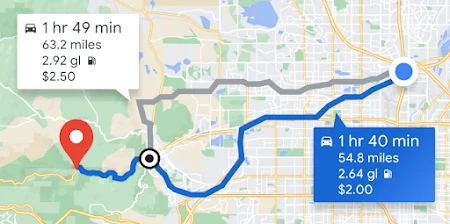
Google has added a detailed view of almost all streets and roads in the United Kingdom making it easier for people to find routes without scratching their head a lot. You can pick multiple options here like your transport mode, setting a multi-top route, etc. This tool also provides detailed real-time traffic analysis for more convenience.
How to Use Google Maps Route Planner in the UK?
Using Google Maps Route Planner in the UK is very simple. I’ll cover a step-by-step guide below to make it simpler for you. Since it’s available both on mobile phones and browsers, I’ll discuss both.
Mobile method:
The following guidelines explain the mobile method:
Step 1:
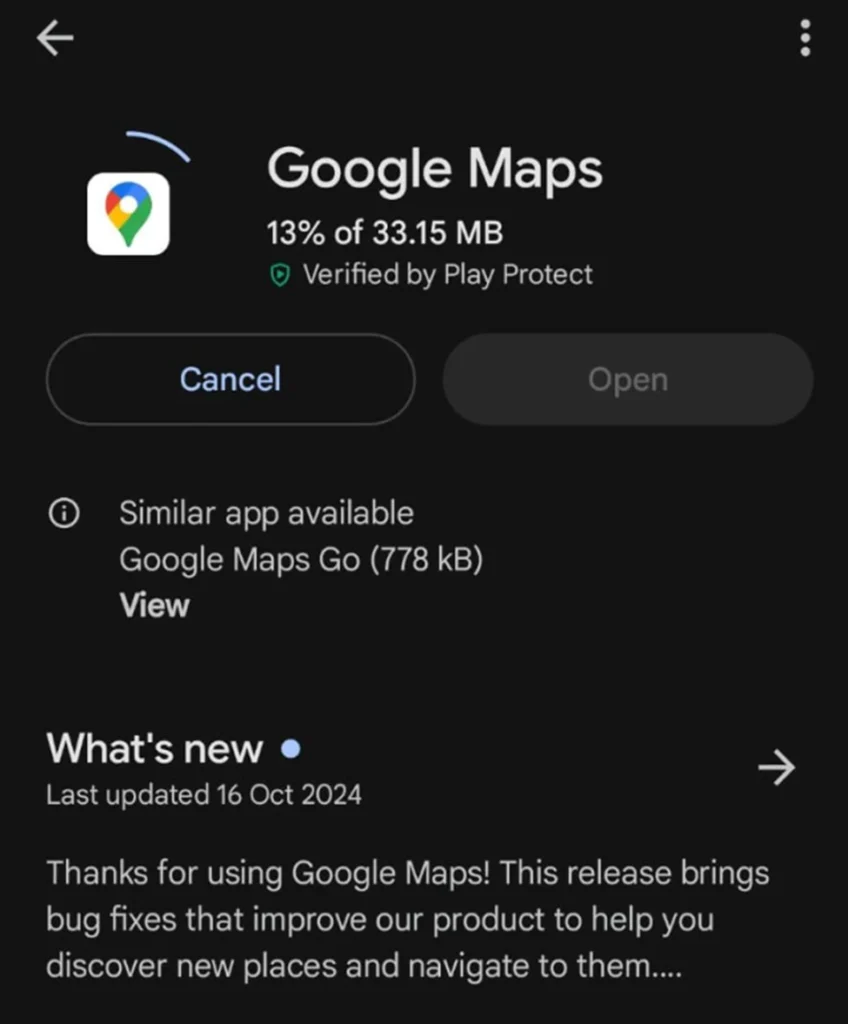
First, you’re going to need to install the Google Maps Route Planner application on your mobile phone.
- Open the App Store or the Google Play Store.
- Search for the app’s name.
- Now, click on “Install”.
Step 2:
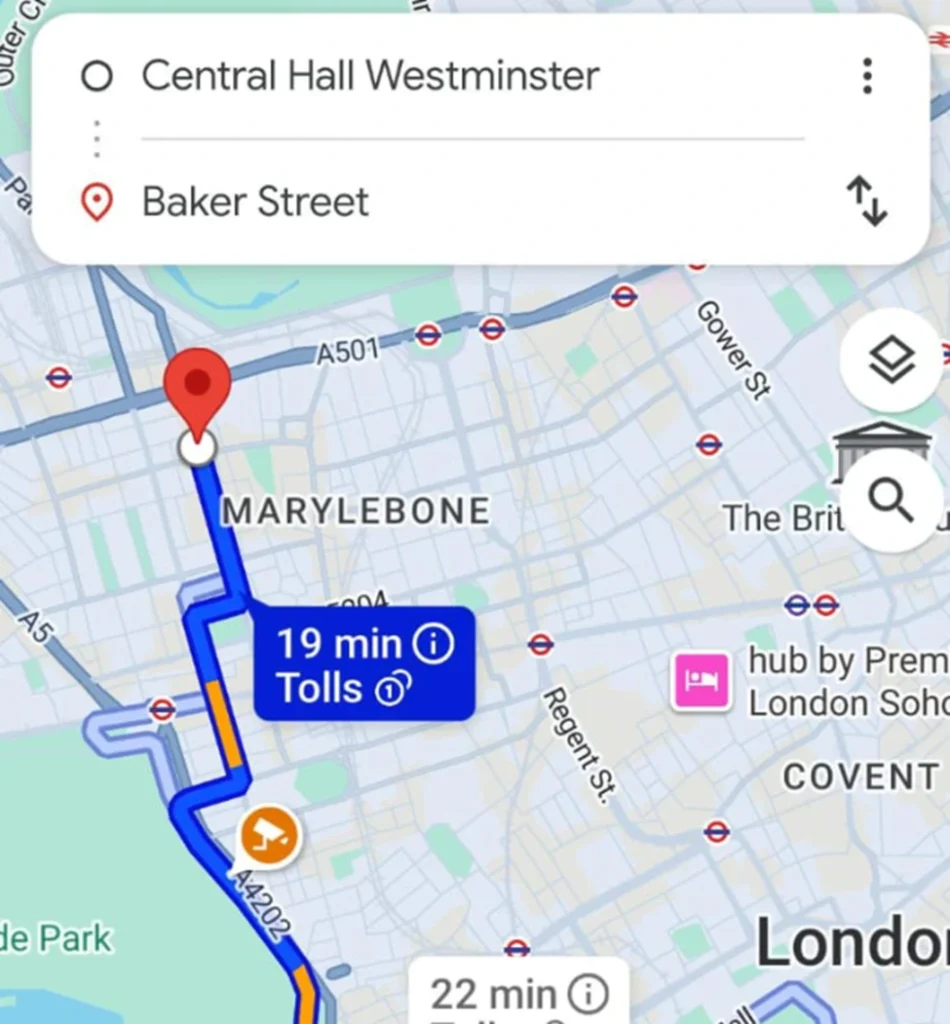
Now, it’s time to set up a route.
· Click on the “Directions” icon.
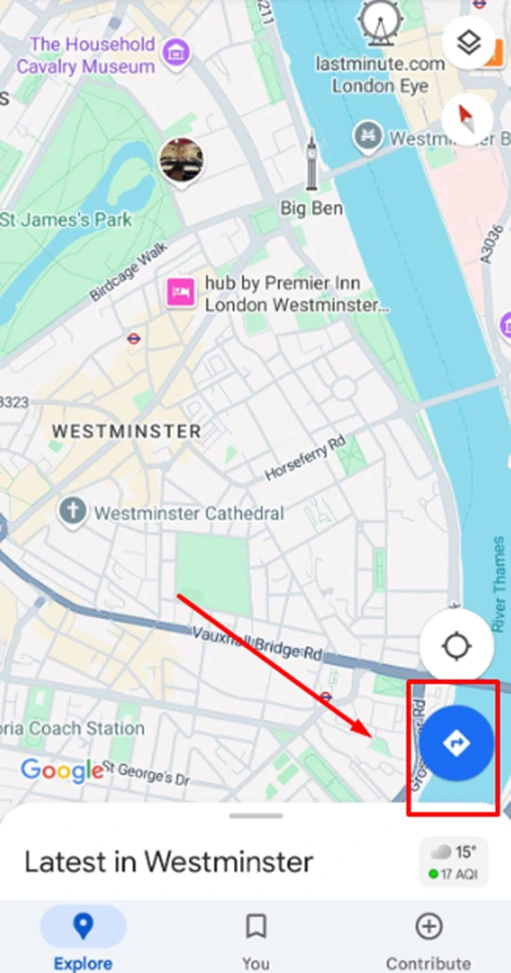
- Enter your current location or a place from where you’re going to begin a journey.
- In the second box, input the destination where you want to reach.
Step 3:
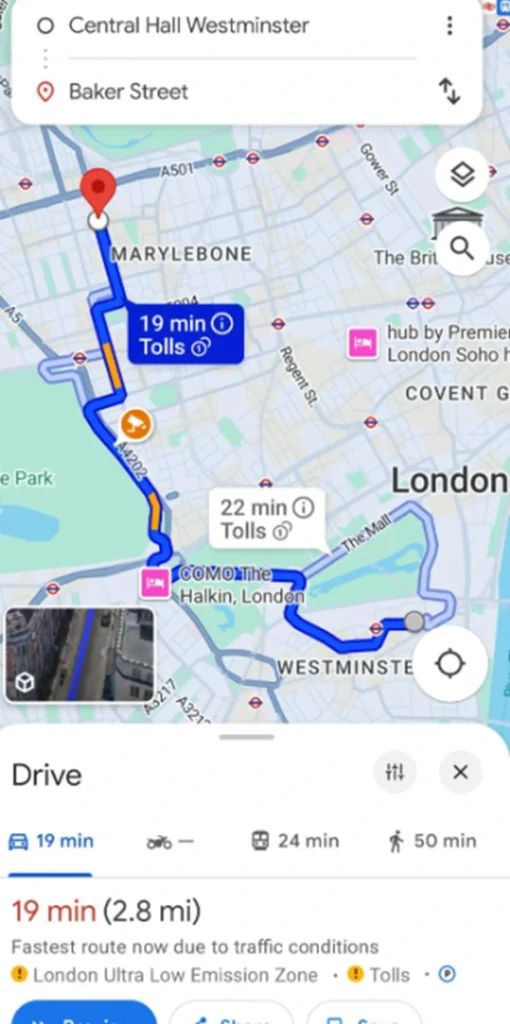
The Google Maps Route Planner will show you the quickest and the most appropriate route to a destination. The next step is beginning this journey.
- Set a transportation mode.
- Click on the three dots.
- Now, select “Add Stops.”
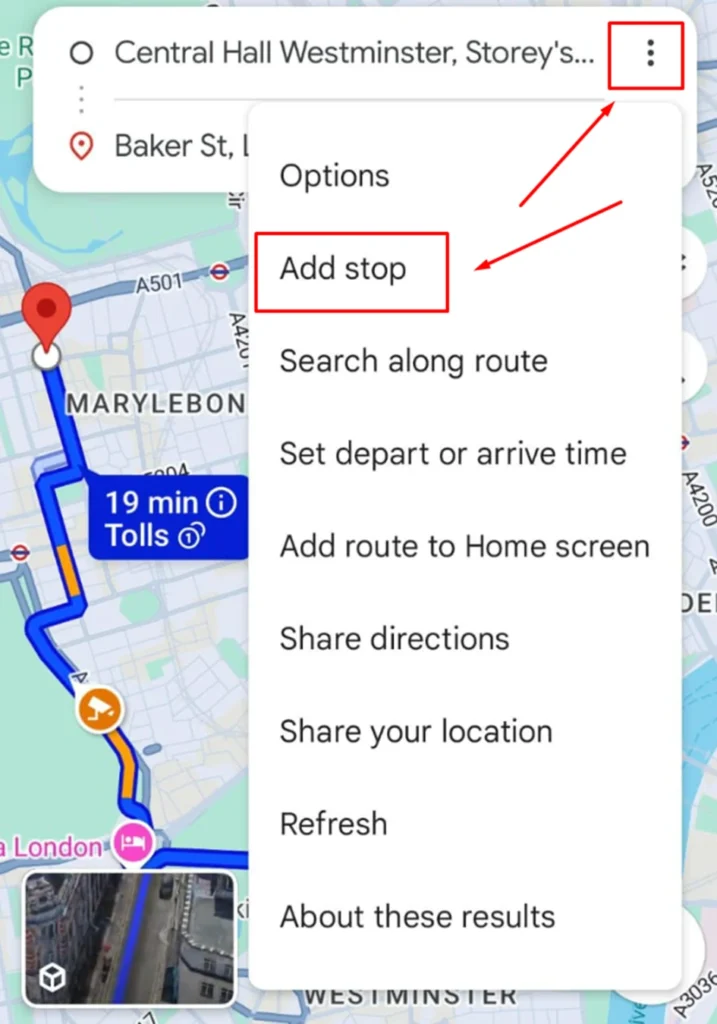
- Enter any other place where you’d like to make a stop.
- If there’s no stop to add, simply click on “Start” to begin your journey.
Desktop browser method:
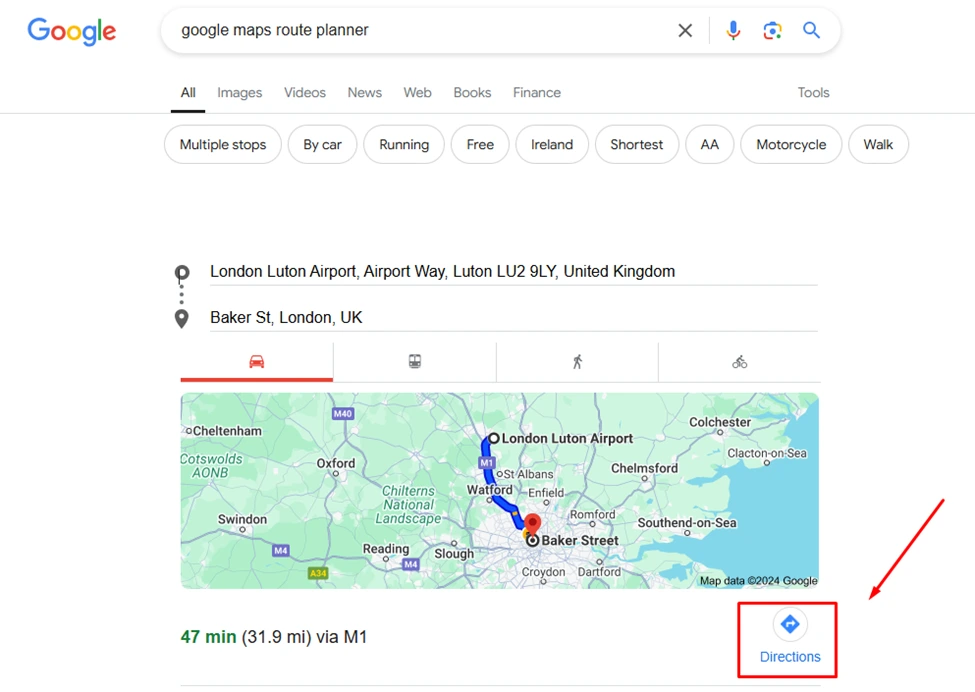
You can use this tool online on desktop browsers without downloading any type of application. Here’s how:
- Open any usual Internet browser you use.
- Search for this tool.
- Now, enter your starting point in the dedicated box.
- After this, enter the destination.
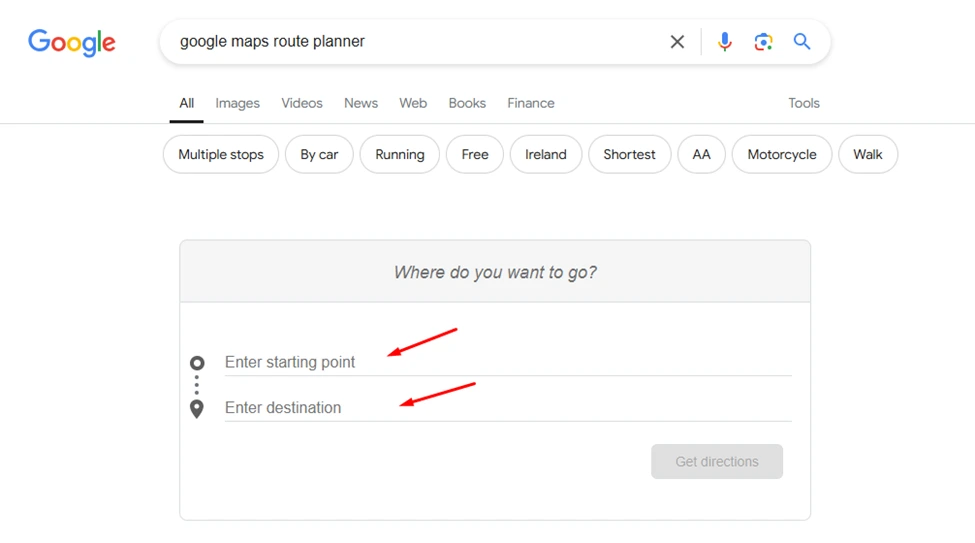
· Now, click on “Directions”.
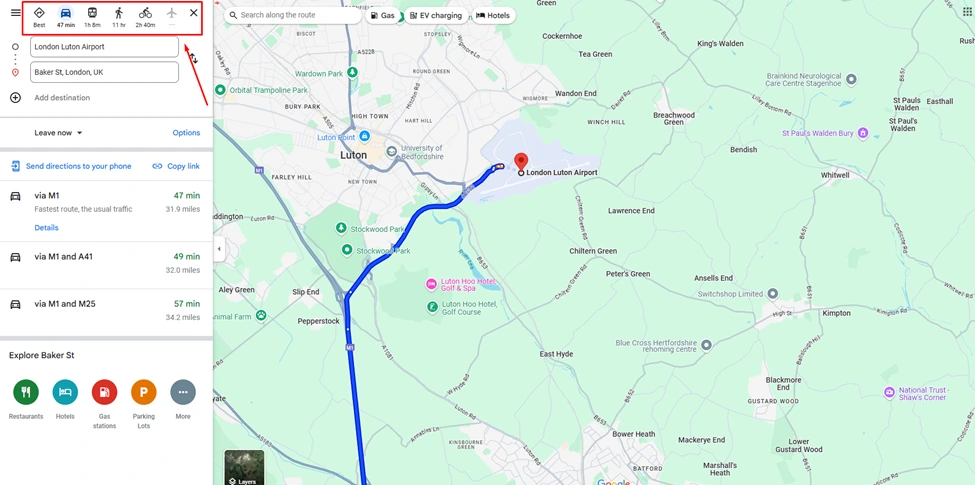
· Pick a transportation mode and follow the directions to reach a selected destination.
Tips for Using Google Maps Route Planner for UK Residents:
The Google Maps Route Planner is going to offer all the assistance a person needs for traveling. But we all know how things are in the United Kingdom. There are a lot of rules and other factors that can make or break your entire route plan. To avoid it, try using these tips:
- Try using public transport. It’s an easier traveling mode and Route Planner offers real-time data about busses stands and tubes.
- There are a lot of highways in the UK that have high toll rates. So, use the tool to avoid them.
- Before beginning the journey, look for road closures. Change your route immediately if there are any.
- Since keeping a laptop with yourself is a little difficult, install the app version on your phone and use it whenever needed.
- In case you need to travel to remote areas of the UK, utilize its offline map navigation mode for convenience.
- Parking rules are strict in cities like London and Manchester. So, I’d recommend checking parking restrictions at destinations and stops.
Conclusion
Using Google Maps Route Planner has become somewhat of a necessity for UK residents. People usually need to go someplace new or deal with roadblocks and high toll roads. This tool offers all the necessary features for residents to travel without such frustrations.
Using this planner tool is a piece of cake since it has both app and browser versions. Simply follow the above-mentioned guidelines and reach wherever you want to. Stay tuned with NogenTech.
FAQs
Is there any type of account required to use Google Maps Route Planner?
You need a Google account to use this map navigation tool.
Is this tool capable of giving real-time traffic data?
This tool provides real-time traffic data along with other metrics like roadblocks.
Is it possible to set multiple stops on a route?
Yes. This tool lets users add multiple stops on routes as well.

1 Comment
Pingback: Best Ways to Support Local Businesses: 9 Tech-Driven Strategies