



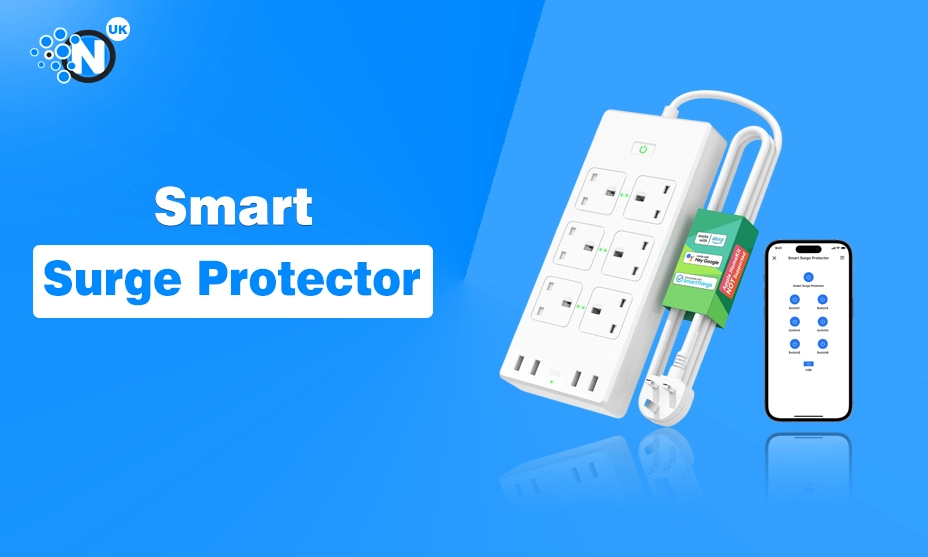
If you’ve ever had your Wi-Fi router randomly die, your monitor flicker during a storm, or your PC restart for “no reason”, you’ve already met the problem: power spikes. A surge protector is one of those boring purchases that becomes brilliant the day it saves your electronics.
And in UK homes (and especially home offices), where we stack routers, TVs, consoles, laptops, printers and smart gadgets on the same sockets, it’s a simple upgrade that can prevent expensive headaches.
In this guide, I’ll break down what to look for, compare the brands UK buyers tend to trust most, and help you choose the right surge protector for your setup—without making it feel like an electrician’s textbook.
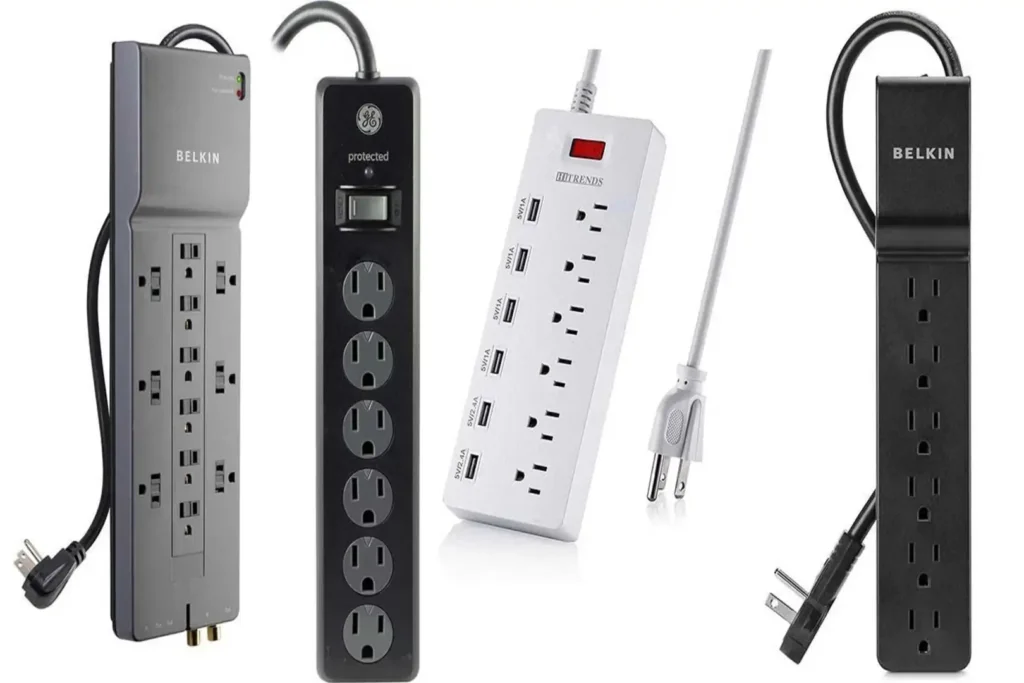
Quick comparison: most recommended surge protector brands in the UK
When UK shoppers recommend a surge protector, they usually mean “reliable, safe, properly rated, and from a recognisable brand.” The names that come up most often for home and office use are APC (by Schneider Electric), Belkin, and Masterplug—because they’re widely sold, clearly specced, and have established product lines. APC’s UK “SurgeArrest” range” range is also easy to compare because the specs are published clearly (including joule rating and British plug type).
Brand snapshot table
| Brand | Best for | Typical strengths | Watch-outs |
|---|---|---|---|
| APC (Schneider Electric) | Home office + electronics clusters | Clear joule ratings, reputable power-protection heritage | Often pricier than basic strips Schneider Electric |
| Belkin | Everyday home electronics | Widely available, solid product range | Specs vary model to model (check the exact unit) Belkin US |
| Masterplug | UK households needing practical value | UK-focused designs, indicator lights common | “Basic” models may be lower rated—compare carefully Masterplug |
My overall pick for most people in the UK: APC for a home office or mixed electronics setup, mainly because the product specs (like joule rating and plug type) are clearly stated on official product pages.
What a surge protector actually does (and what it doesn’t)
A surge protector is designed to reduce damage from voltage spikes by diverting excess energy away from your devices. The key point is: it’s protection against surges, not a magic fix for every power problem.
Surge protector basics table
| Question | Simple answer |
|---|---|
| Does a surge protector stop spikes? | Yes, within its rated capacity. |
| Does it stop power cuts? | No—use a UPS if you need backup power. |
| Does it protect against lightning perfectly? | Nothing can guarantee that, but a quality unit helps reduce risk. |
| Is it the same as an extension lead? | No—many extension leads have no surge protection. |
If you want “whole home” protection, that’s a different topic: it’s usually about surge protective devices (SPDs) installed in consumer units and distribution boards. The IET explains the different SPD types (Type 1/2/3) and where they belong. Plug-in strips are typically the “point-of-use” end of protection (often discussed as Type 3 in SPD terms).
The features that actually matter when choosing a surge protector
Most people buy a surge protector based on socket count and price. Fair—but if you want real protection, a few specs matter more than fancy marketing.
Must-check features table
About joules (without the confusion)
A “joule” is a unit of energy. In surge protectors, the joule rating indicates how much surge energy the protector can absorb over time. Higher joules generally means the unit can handle more surge events before it wears out. Eaton explains this plainly: higher joule rating = greater surge protection capacity.
UK safety: don’t ignore standards and recalls
This part is boring, but it’s also the reason you should avoid random no-name strips.
BEAMA (a UK trade association) publishes an extension lead safety checklist and explains that performance criteria for extension leads are defined by standards such as BS 5733 and relevant parts of BS 1363-2, while also warning against non-compliant products. The UK government has issued product safety reports highlighting risks from unsafe extension leads, including plugs that fail to meet BS1363-1 requirements and lack proper protective fusing, which can increase the risk of electric shock. For safer everyday use and better power management at home, it is also important to understand how smart plugs and power accessories should be used correctly, as explained in this guide to using smart plugs safely.
UK safety checklist table
| Safety check | Why it matters |
|---|---|
| Buy from reputable brands/retailers | Reduces risk of counterfeit or non-compliant items BEAMA |
| Ensure a proper British plug + fuse | Helps protect against overload and faults GOV.UK |
| Look for clear compliance info | Standards exist for a reason (heat, durability, safety) BEAMA |
| Avoid damaged leads/loose sockets | Basic, but crucial |
| Don’t “daisy chain” extension leads | Overloading risk (use one properly rated solution) |
Best surge protector for a UK home office
Home offices are loaded with sensitive electronics: laptops, monitors, docks, routers, NAS drives. This is where paying a bit more is usually worth it.
Home office needs table
| Device | Risk level | What you want in a surge protector |
|---|---|---|
| PC + monitor | High | Higher joule rating + good spacing |
| Router | Medium–high | Protection + reliable build |
| Printer | Medium | Enough sockets + safe fuse |
| Chargers | Medium | USB ports can help, but sockets are fine |
Why APC often wins here (UK buyers): APC publishes clear specs like joule rating and British plug type on its UK product pages. For example, APC’s PM5-UK lists 918 joules and a BS1363A British plug, which makes comparing much easier than guessing from vague listings.
Best surge protector for a living room TV and entertainment setup
Living room setups usually include a TV, soundbar, games console, streaming box, and maybe a subwoofer. You also want practical socket spacing—because HDMI hubs and power bricks are often bulky.
Entertainment setup table
| Setup size | Suggested socket count | Nice-to-have features |
|---|---|---|
| Basic (TV + console) | 4–6 | Spaced sockets, wall-mount option |
| Standard (TV + sound + console + router) | 6–8 | Surge indicator, decent cable length |
| Full (plus streaming, speakers, chargers) | 8–12 | USB ports, better cable management |
Belkin’s surge protectors are widely available in the UK and often used for TV and home electronics setups due to their broad product range.
Best surge protector for shared spaces and family homes
In family homes, the surge protector ends up doing everything: lamps, chargers, homework laptops, consoles, and sometimes a fan. This is where durability and sensible safety matters more than fancy features.
Family-home checklist table
| What matters most | Why |
|---|---|
| Sturdy build | Gets kicked, moved, used daily |
| Individual switches (optional) | Handy, but not essential |
| Surge + power indicators | Quick “is this working?” reassurance Masterplug |
| Enough sockets for reality | Phones, tablets, laptops add up fast |
Masterplug is a familiar UK name in this category, and many of its surge-protected extension leads highlight practical features such as power and surge indicators.
The big brand comparison: APC vs Belkin vs Masterplug
Let’s compare these three in the way people actually shop: protection clarity, trust, features, and overall value.
Brand comparison table
| Category | APC (SurgeArrest) | Belkin | Masterplug |
|---|---|---|---|
| Protection transparency | Strong—joules clearly listed on official pages Schneider Electric | Varies by model—check product listing carefully Belkin US | Varies by model—good for practical home use Masterplug |
| Best use case | Home office & electronics clusters | TVs, home setups, general use | Everyday UK households, value buys |
| Convenience features | Often solid spacing and build quality | Many options, often with modern ports | Strong “practical” design, indicator lights Masterplug |
| Price feel | Mid to premium | Budget to mid | Budget to mid |
Most recommended overall (UK shoppers): APC
Not because it’s trendy—but because it’s a long-standing power protection brand and tends to publish specs clearly (like joule rating and UK plug type). Schneider Electric
How many sockets do you really need?
Most people under-buy sockets, then end up plugging another extension lead into the first one (not a good plan). Buy for “today + a bit extra”.
Socket planning table
| Your space | Typical devices | Recommended sockets |
|---|---|---|
| Small desk | Laptop, monitor, router, charger | 6 |
| Home office | PC/laptop, 2 monitors, router, dock, printer | 8–10 |
| TV corner | TV, soundbar, console, streaming, lamp | 6–8 |
| Family hub | Chargers, laptop, lamp, small electronics | 8 |
Common mistakes that reduce protection (or increase risk)
Here’s the honest truth: a surge protector can be great, but only if it’s used properly.
Mistakes table
| Mistake | Why it’s a problem | Better approach |
|---|---|---|
| Buying unbranded imports | Higher risk of non-compliance and safety issues | Stick to reputable brands and retailers |
| Daisy-chaining extension leads | Can overload and create heat/fire risk | Use one properly rated strip |
| Ignoring indicator lights | Some protectors stop protecting after a big event | Replace if protection indicator fails |
| Plugging high-wattage appliances | Can overload strips | High-wattage items should go to wall sockets |
BEAMA’s checklist approach is basically: choose compliant products and avoid risky setups. BEAMA
A simple buying guide: pick the right surge protector in 60 seconds
Quick decision table
| If you are… | Buy this kind of surge protector |
|---|---|
| Protecting a home office (PC, monitors, router) | Higher joule rating, 8–10 sockets, clear specs (APC often ideal) Schneider Electric |
| Protecting a TV + console setup | 6–8 sockets, spaced outlets, surge indicator |
| Powering family gadgets | 8 sockets, sturdy build, surge + power indicators Masterplug |
| Unsure and want a safe all-rounder | Reputable brand, UK plug + fuse, clear protection indicators |
FAQs
An extension lead simply adds sockets. A surge protector is designed to help protect devices from voltage spikes. Many extension leads have no surge protection at all.
It depends on what you’re protecting. Generally, higher joules means the unit can absorb more surge energy over time. Eaton explains the joule rating as the amount of energy a surge protector can absorb before it fails.
Yes, they can. After repeated surges (or a big one), internal components can degrade. That’s why status indicator lights matter—if the protection indicator shows failure, replace it.
A surge protector helps with spikes. A UPS is for when you also want backup power during outages and to avoid sudden shutdowns. If you’re running important work, a UPS can be worth it.
Final thoughts
The best surge protector for home and office electronics is the one that matches your setup, has clear safety credentials, and comes from a brand you can trust. For most UK households, especially anyone with a home office, APC is often the best overall choice because the specs are clear (including joule rating and a British plug), which makes it easier to buy confidently.

