
Close Menu
    Facebook X (Twitter) Instagram
    Trending
    • Palantir Paid Just £2.1 Million in UK Tax in 2024 While Funnelling Earnings to the US, Report Finds
    • 27-Inch Monitor Reviews: 6 Best Gaming Monitors in 2026
    • Apple Launches Fresh Legal Challenge Against UK’s Secret Data Access Demand
    • UK’s State Investment Agency Hit by Data Breach Exposing Officials’ Details
    • Bank of America to Acquire UK Cybersecurity Firm MDSec to Bolster Cyber Defences
    • Apple Tells UK Regulator Its App Store Overhaul Amounts to Price Regulation
    • Labour MP Takes Elon Musk’s xAI to the High Court Over Grok’s Deepfakes
    • How to Choose the Best OLED Monitor in 2026: Buying Guide
    Facebook X (Twitter) Instagram YouTube
    NogenTech UK – Business Technology MediaNogenTech UK – Business Technology Media
    • UK Tech News
    • Business Technology
    • Gaming Tech
    • SaaS
    • AI & Automation
    • Digital Marketing
      • SEO
      • Content marketing
      • Social Media
      • Blogging
    • Tech Guides
    NogenTech UK – Business Technology MediaNogenTech UK – Business Technology Media
    Home » How to Use Smart Plugs? A Complete Guide
    Electronics

    How to Use Smart Plugs? A Complete Guide

    Fawad MalikBy Fawad MalikAugust 9, 2025Updated:August 9, 2025No Comments3 Mins Read
    How to use smart plugs
    How to Use Smart Plugs? A Complete Guide
    Share
    Facebook Twitter LinkedIn Pinterest Email

    Your presence here has directly indicated that you may have heard about smart plugs and now want to know how to use them. I am damn sure that you are expecting some tricky explanations behind their functioning. But let me tell you clearly that they are just like ordinary plugs working on some simple technologies. The best part is that they come with multiple useful features that help you control your appliances.

    So, what are their uses? How do they convert your ordinary appliance into a smart machine? To help you out and answer all your questions, along with their working, features, and types available on the market, I have created this guide on how to use smart plugs.

    Let’s get started!

    What is a Smart Plug?

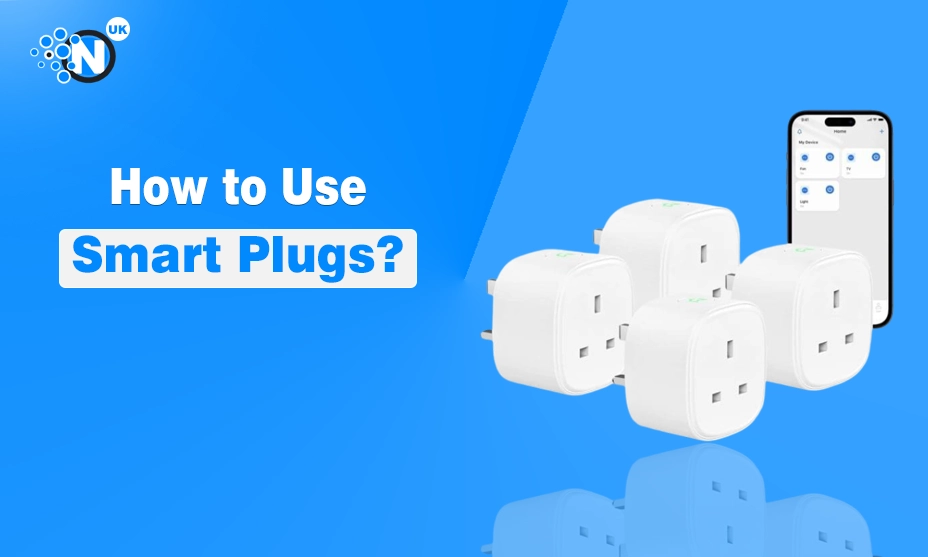
    A smart plug is a device that plugs into a standard electrical outlet at any place and allows you to control any device plugged into it from your mobile phone.

    This transforms a regular appliance into a smart device that can be controlled via a smartphone app. Smart plugs offer features like scheduling, timers, and voice control through smart voice assistants, which help you manage your appliances directly with your voice commands.

    How to Use Smart Plugs?

    Do you know how to use a smart plug? If your answer is negative, then you are at the right place. I have explained this topic comprehensively.

    • Install the App: First, you need to download the app, integrated to your smart plug from the Play Store or App Store on your mobile phone. Then create an account on it.
    • Plug-In Smart Plug: Then plug your smart plug into an electrical outlet in your home or office. Power it on through the power-on button. The light starts blinking, showing its pairing mode.
    • Connect to App: Now you need to connect the smart plug with the app installed on your smartphone. Open the app, click on add device option or the plus sign to connect it to the app.
    • Connect to Wifi: When it is connected to the app, you need to connect it to your wifi network.
    • Name a Device: Once you have done all the above steps, select the electronic device you can attach to the smart plug. You can also add the name and photo of the device in the app to remember which appliance is connected to it.

    Final Thoughts

    Now, you can operate all your appliances at home or in the office with the help of smart plugs. There are a lot of useful ways to use them, as I have discussed above. Its features include scheduling, setting a timer, a mobile app, and voice assistance.

    These feature gives you full control over your machine and allow you to operate it according to your needs or daily schedule. I hope so. After reading this guide, you will get all the answers to the queries that you have in your mind.

    Share. Facebook Twitter Pinterest LinkedIn WhatsApp Reddit Tumblr Email
    Fawad Malik
    • Website
    • Facebook
    • LinkedIn

    Fawad Malik is the founder of WebTech Solutions, a leading SEO and digital marketing agency with over 15 years of experience in helping businesses grow online. He is also the visionary behind Nogentech.org, a well-known digital media platform. Now, with Nogentech.co.uk, Fawad is bringing his industry expertise and proven strategies to a wider UK audience, aiming to empower entrepreneurs, marketers, and startups with actionable insights and the latest trends in tech & digital marketing.

    Related Posts

    How to Choose the Best OLED Monitor in 2026: Buying Guide

    July 28, 2026

    Wired vs Wireless Camera: Which Is Better for Home Security?

    February 23, 2026

    Best Security Cameras For Home Safety with Night Vision

    February 10, 2026
    Leave A Reply Cancel Reply

    Table of ContentsToggle Table of ContentToggle
    • What is a Smart Plug?
    • How to Use Smart Plugs?
    • Final Thoughts


    Clickable Image

    Nogentech UK shares trusted tech insights, AI trends, SaaS updates, and digital marketing guidance — backed by the global NogenTech brand.

    Facebook X (Twitter) Instagram LinkedIn
    Our Picks

    How to Start a Website from Scratch in the UK (2024 Guide)

    November 1, 2024

    Top 10 Latest Tech Trends Revolutionising Businesses in the UK

    December 6, 2024

    How to Use Google Maps Route Planner in the UK: Step-by-Step Guide

    December 7, 2024
    Most Popular

    Palantir Paid Just £2.1 Million in UK Tax in 2024 While Funnelling Earnings to the US, Report Finds

    August 5, 2026

    27-Inch Monitor Reviews: 6 Best Gaming Monitors in 2026

    August 4, 2026

    Apple Launches Fresh Legal Challenge Against UK’s Secret Data Access Demand

    August 4, 2026
    © 2026 NogenTech. Designed by Nogentech.co.uk.
    • Home
    • About Us
    • Contact Us
    • Privacy Policy
    • Terms & Conditions
    • Sitemap

    Type above and press Enter to search. Press Esc to cancel.